GST: GST billing and accounting software
GST billing, stock and party ledger for traders and small manufacturers. Make bills on a phone or computer, share them on WhatsApp, and keep dues and stock up to date.
30 days free. No card is asked for. Then ₹499 per month (incl. GST).
Details checked

What is GST?
GST is a billing and accounting app that runs in the browser on a phone or computer. You make tax and retail invoices, and the app picks CGST + SGST or IGST from the two states. Bills can be printed, saved as PDF or shared on WhatsApp. Every bill updates the party ledger, the due amounts and the stock. Purchase bills, payments, expenses and production are entered the same way. Reports include the day book, net stock, profit and loss and the sales register. The app also prepares the GSTR-1 JSON and makes e-Invoices and e-Way Bills. Staff get their own login and see only the screens the owner allows. The whole app works in English and Gujarati.
Who is GST for?
Traders, wholesalers, shops and small manufacturers in Gujarat and across India who make GST bills. The owner and billing staff use it every day on a phone or computer, and the accountant uses its reports.
What problem does GST solve?
Bills are written by hand or in Excel, and GST has to be worked out again at return time. Nobody knows the exact stock or who still owes money until the month ends. Sending bills and payment reminders to each party takes a lot of time.
Key features of GST
- GST tax and retail invoices; CGST + SGST or IGST is chosen from the states; 15 invoice designs to print or save as PDF
- Share bills, statements and payment reminders on WhatsApp, with a UPI QR on the bill
- Counter Sale screen for fast billing at the counter, with barcode scan, stock shown for each item and thermal print
- Party ledger, due amounts, payment receipts, a daily Collect Today list, and recurring bills that go out automatically
- Stock: net stock report, minimum stock alerts, stock count on the phone, production entries
- Purchase bills, purchase orders and goods received notes
- e-Invoice (IRN and QR) direct with the NIC portal or through Masters India, Vayana, ClearTax or Adaequare, and e-Way Bill from the IRN
- GSTR-1 JSON and GSTR-3B summary, Tally XML export, Excel export of lists and reports
- Reports: day book, sales register, profit and loss, trial balance and balance sheet
- Bills can be saved without internet and are sent to the server when the internet is back
Why businesses use GST
- You can see who owes how much at any time and send a reminder from the same screen
- The customer gets the bill on WhatsApp as soon as it is made
- Stock is updated by every sale and purchase, so you see low stock before it runs out
- GST return data comes from the bills you already made, so nothing is typed twice
- Staff can make bills without seeing your accounts
See GST in use.
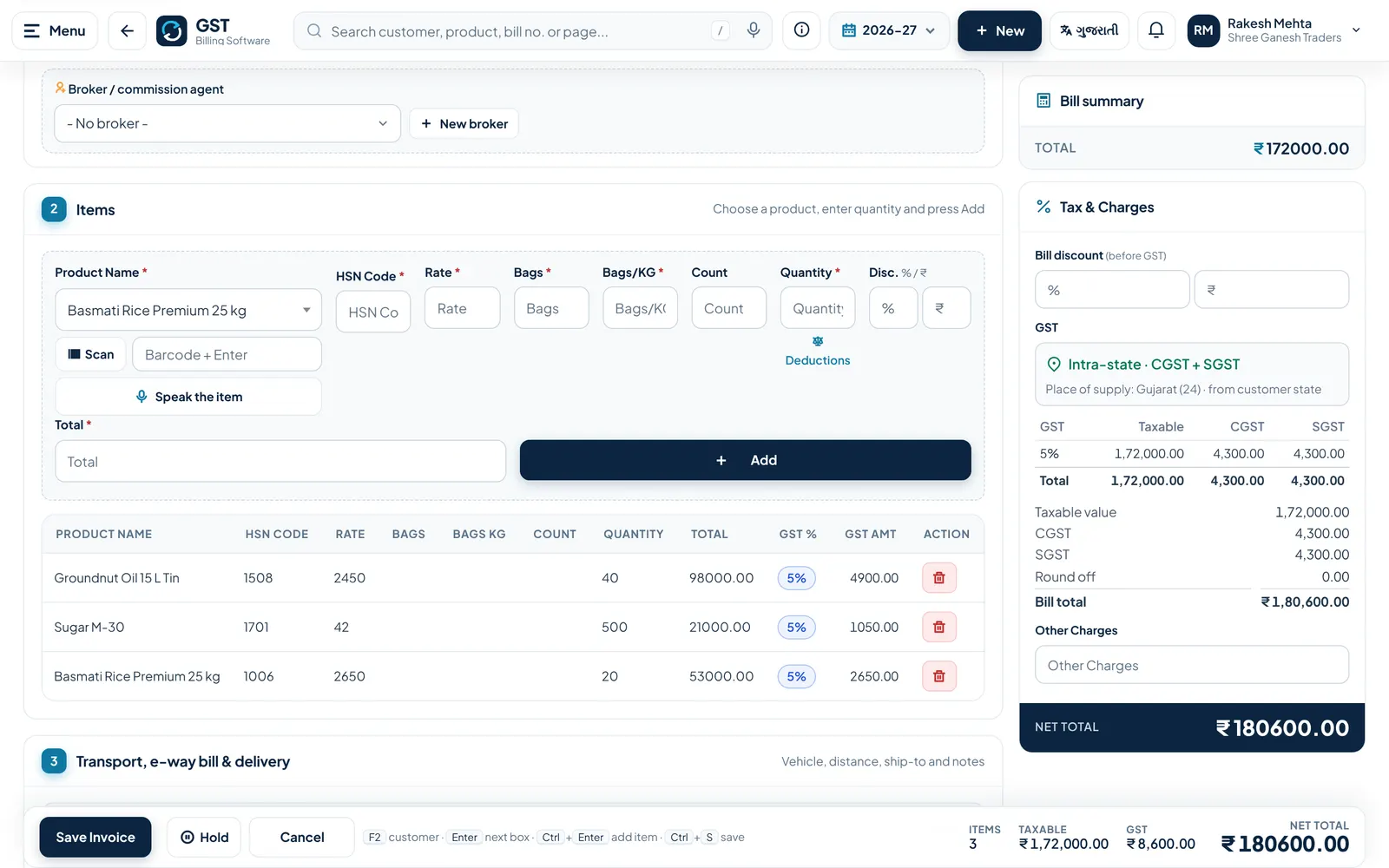
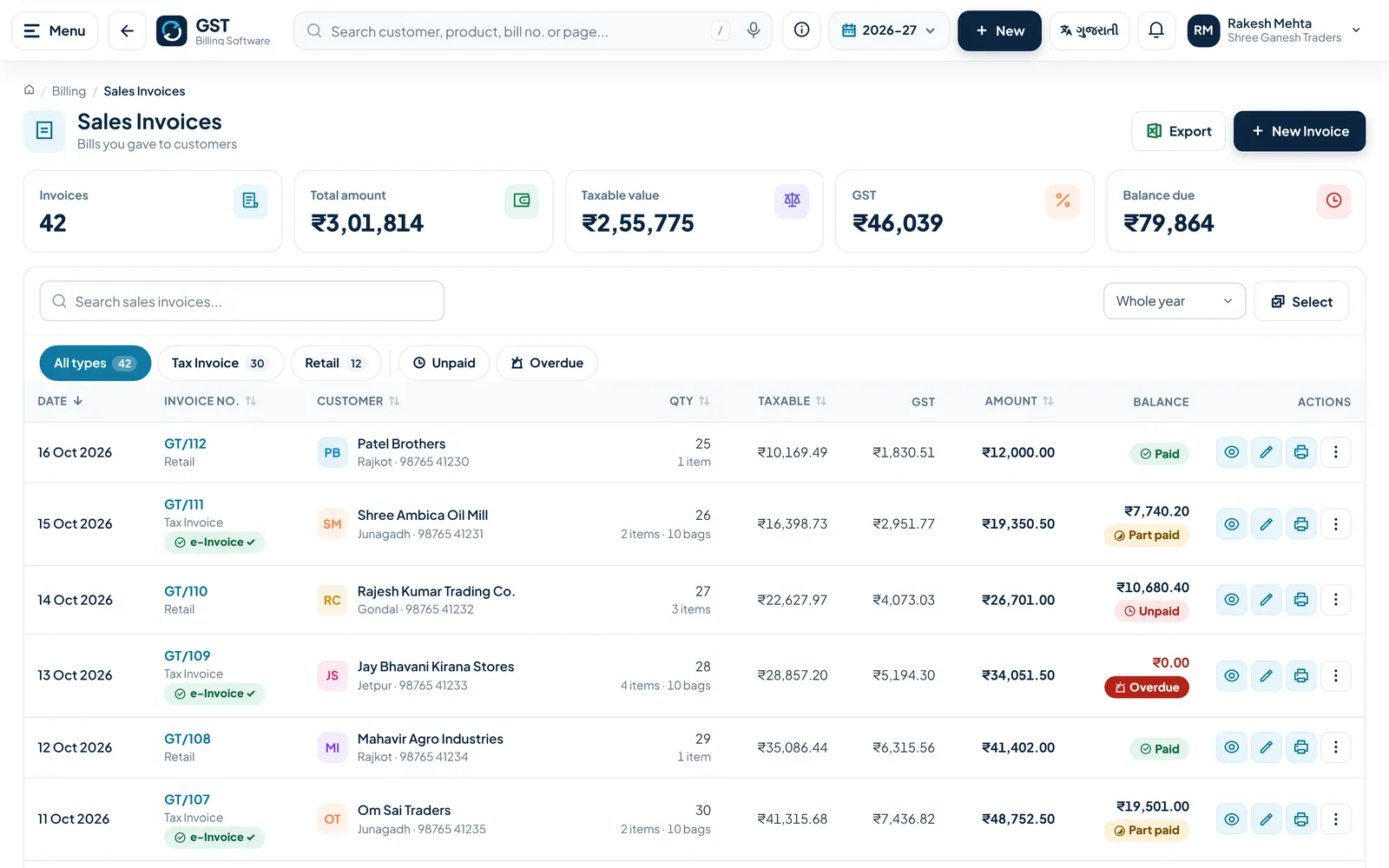
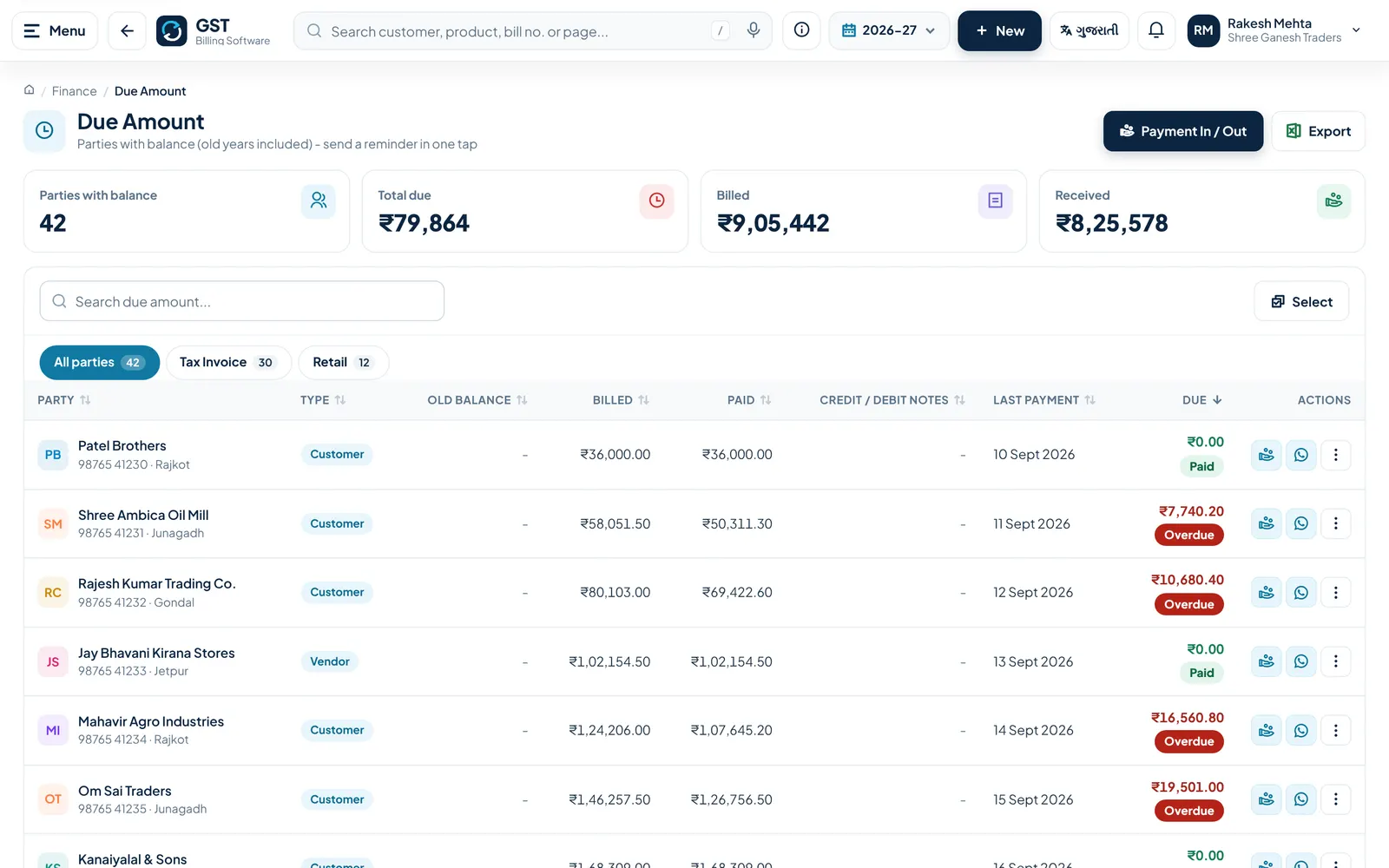
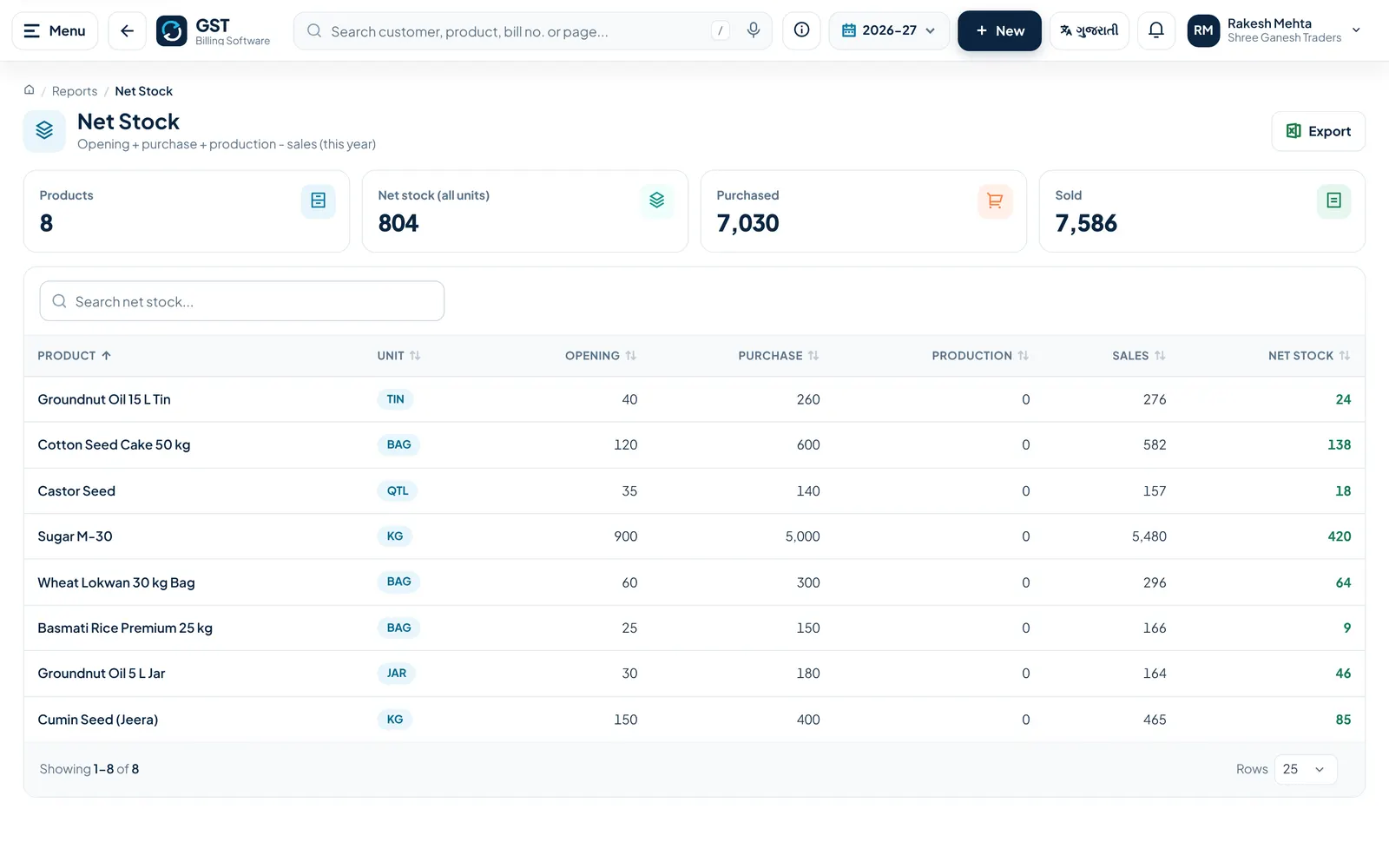
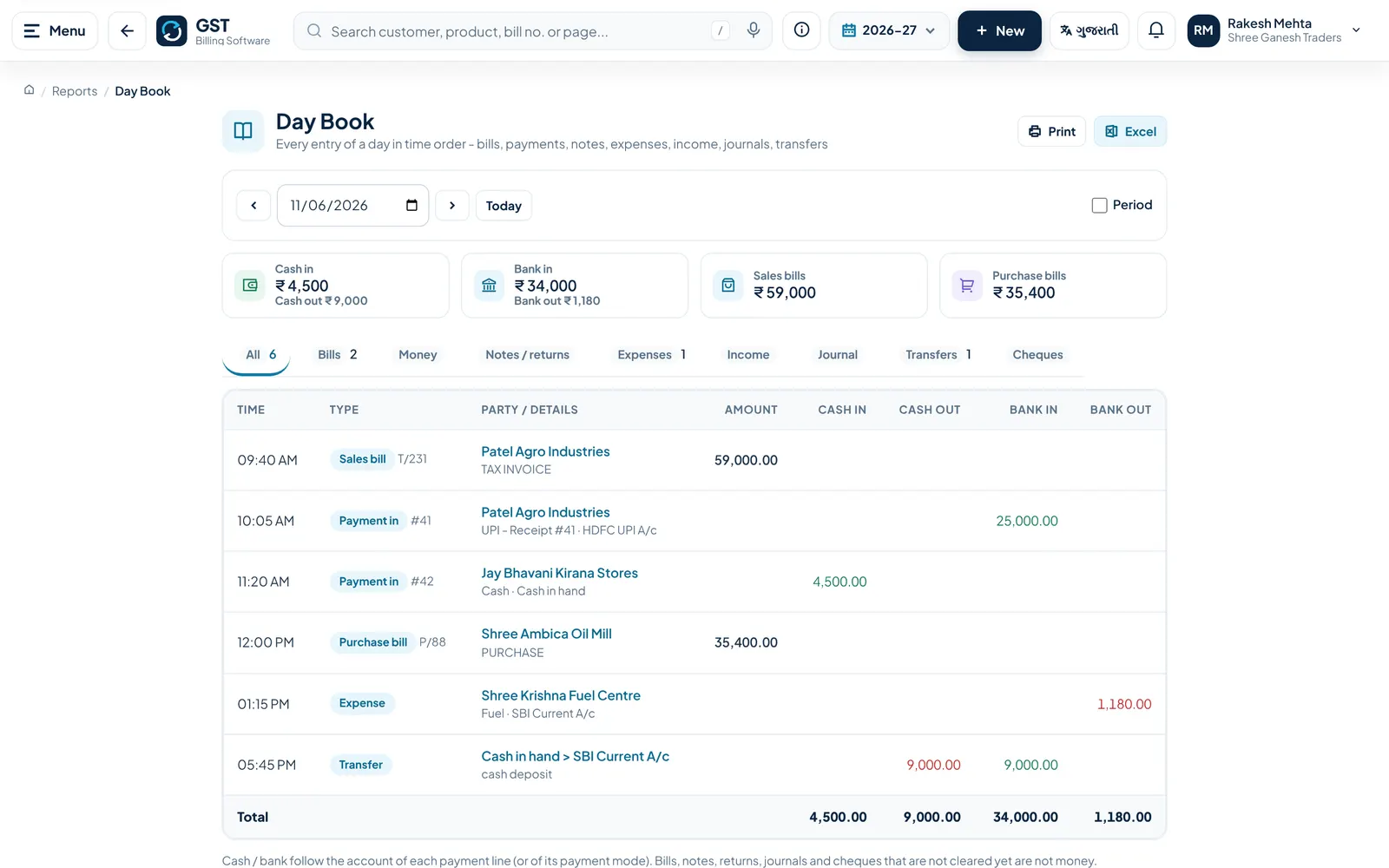
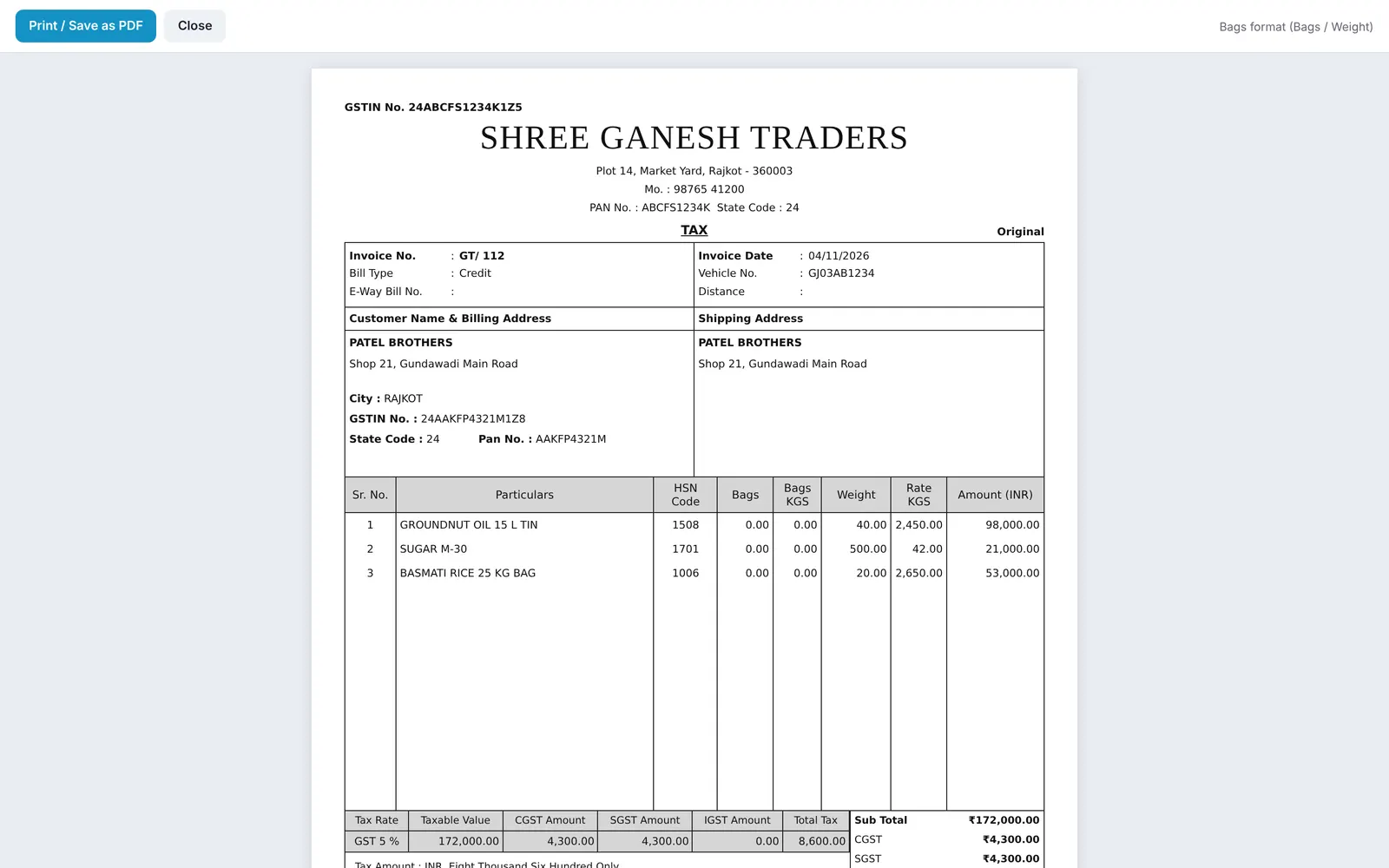
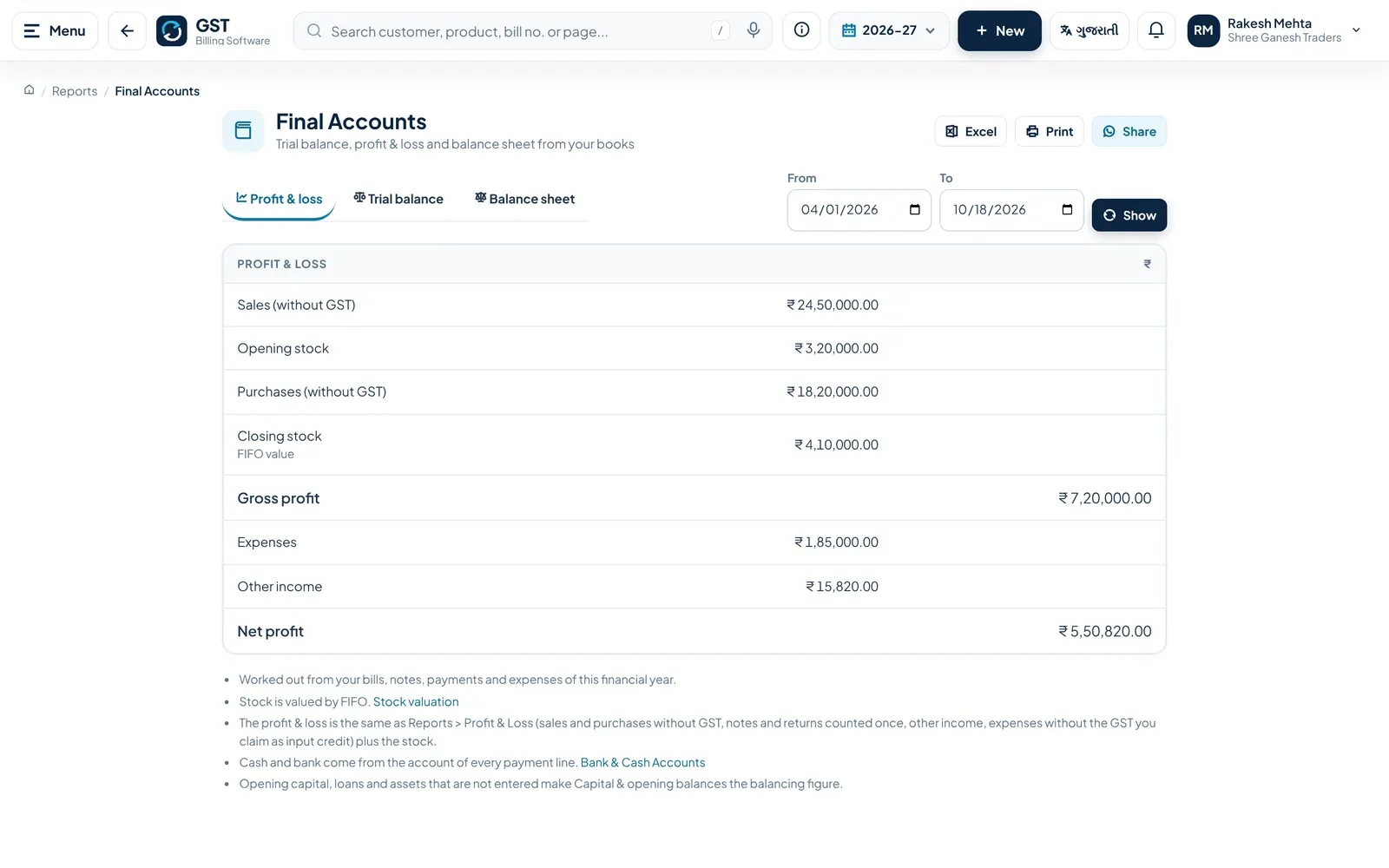
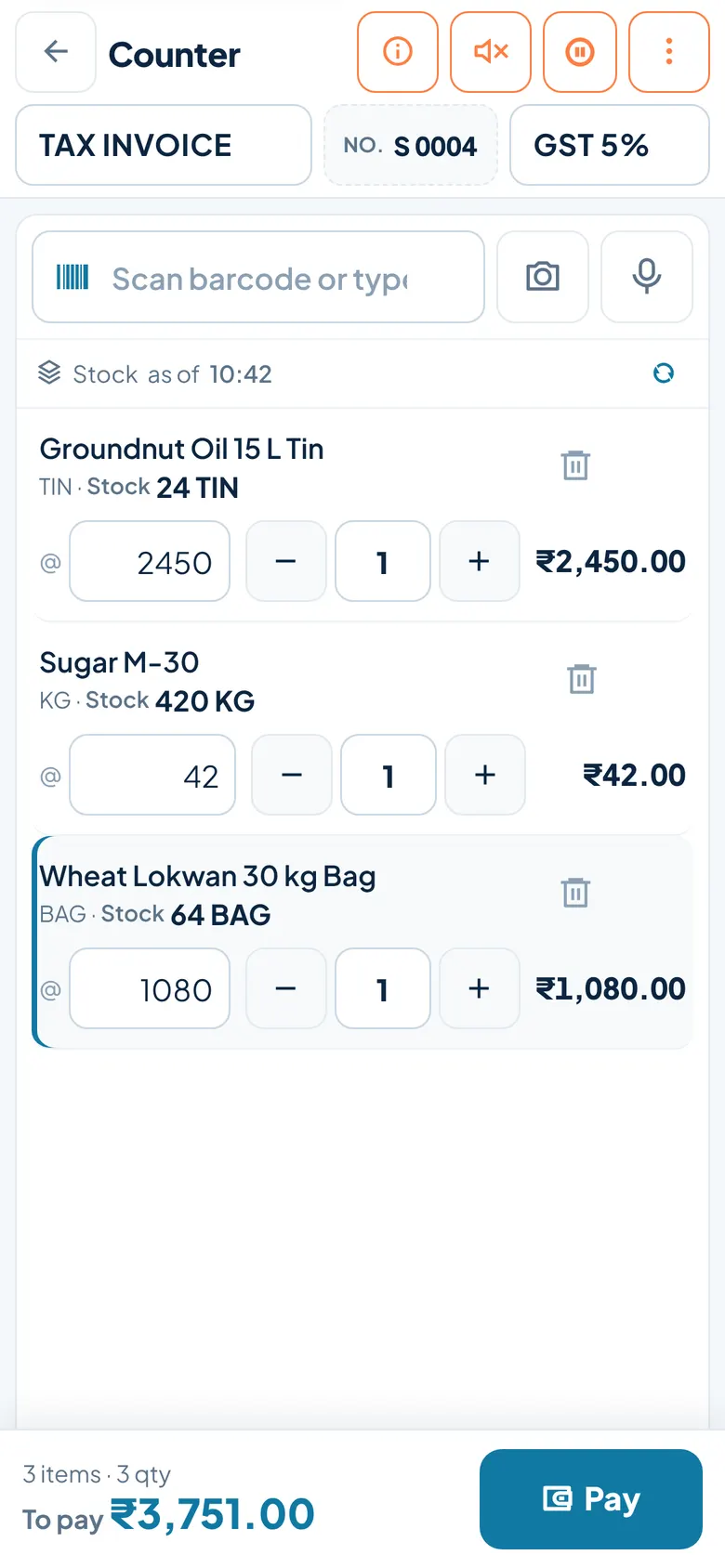
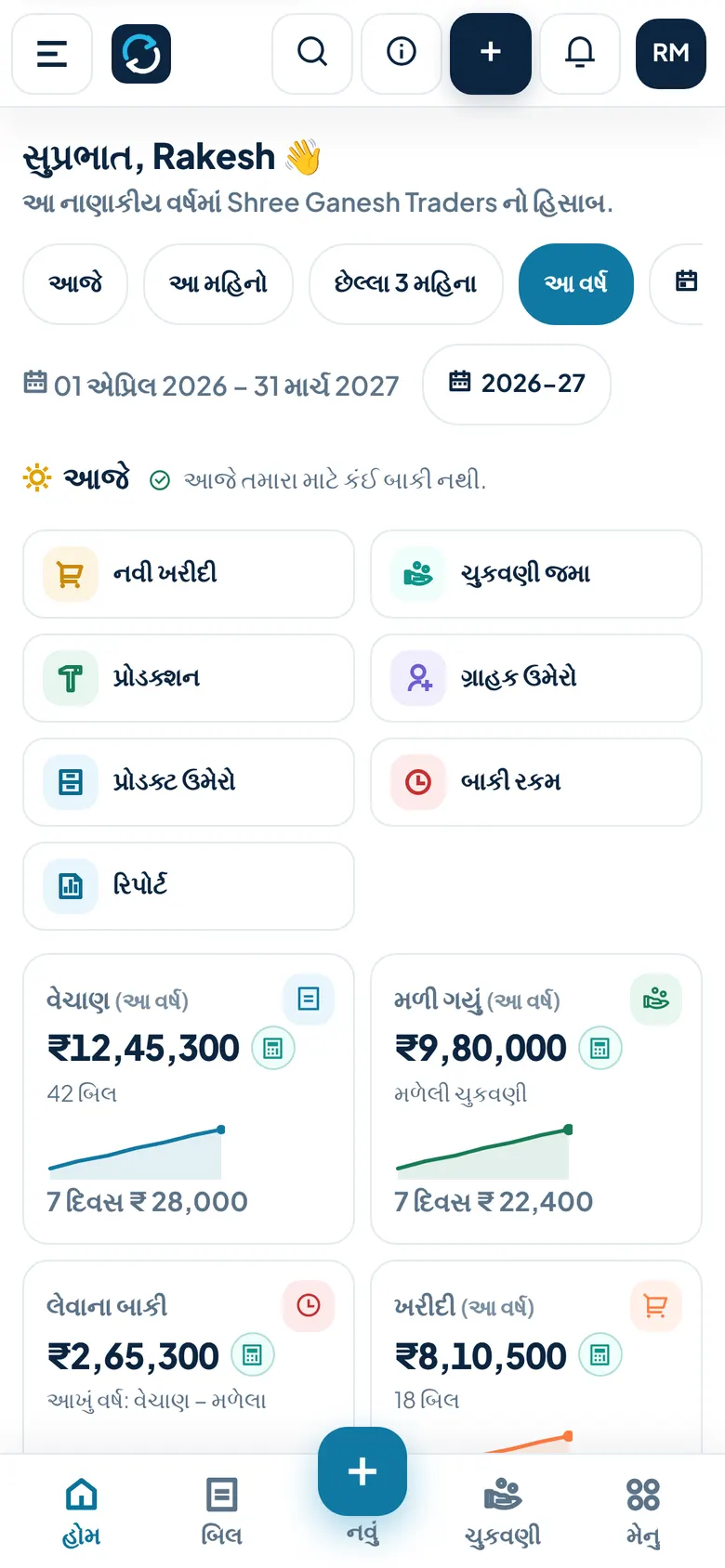
Screens show a demo business with sample data.
How do you start with GST?
- Register your company on the website (name, mobile, city, state, user name and password)
- After DCode Software approves the account, sign in; the 30-day free trial starts
- Add your products and parties, or import them from Excel or Tally
- Make your first bill and share it on WhatsApp or print it
How much does GST cost?
- ₹499
- Every feature of the app
30 days free. No card is asked for. The account is ready after DCode Software approves the registration. To continue after the trial, the owner renews a plan from Help & Support > Renew plan by UPI payment. The account is blocked when the trial ends until a plan is bought.
Where does GST run?
- Runs on
- Web browser on phone or computer; can be installed on the phone's home screen
- Without internet
- Partly: after the first online sign-in, sales and purchase bills, payments and masters can be saved without internet and are sent to the server when the internet is back; screens opened before stay available
- You need
- A current browser such as Chrome on Android, iPhone or computer; internet for sign-in, syncing and e-Invoice; Bluetooth label printing works in Chrome only
- Users
- Owner login plus any number of staff logins; the owner ticks which screens each staff member can use
What does GST connect to?
- e-Invoice (IRN and signed QR) direct with the NIC IRP, or through a GSP: Masters India, Vayana, ClearTax or Adaequare; the company registers for API access
- e-Way Bill made from the IRN through the same connection
- GSTR-1 JSON for upload on the GST portal; GSTR-1 save and GSTR-2B download through a GSP (the return is filed by you on the portal)
- WhatsApp: bills, statements and reminders open in WhatsApp with the message ready
- Tally: import masters from Tally XML and export entries as Tally XML
- Razorpay payment links and UPI QR on invoices
- Google Drive for nightly backups and attachments
- Excel and CSV import and export
How are you set up and supported?
- Getting started
- Self sign-up on the Register page, then approval by DCode Software. Every screen has a help page (the i button or F1) in English and Gujarati.
- Bringing your data
- Customers, vendors and products (with opening stock and GST rate) from Excel or CSV, and masters from a Tally XML export. Past bills cannot be imported.
- Support
- Phone and WhatsApp +91 90162 26950, 11:00 to 18:00 IST. Email nikunjaghera@gmail.com. In-app support tickets with attachments.
- Training
- No training videos. A demo is given on request. User guides and a user manual are provided on request.
Is my data safe?
- Backups
- The database is backed up every day. A backup of each company is also saved every night after 2 AM India time to DCode Software's Google Drive as a ZIP, kept for 30 days. The owner can also take a backup any time and download it.
- Export
- Excel from lists and reports, PDF invoices (one or many at once), backup ZIP of CSV files, Tally XML, GSTR-1 JSON, e-Invoice and e-Way Bill JSON
- Sign-in and staff access
- User name and password; optional two-step login with an authenticator app; fingerprint or face sign-in on supported devices; staff logins with per-screen permissions; a new staff device needs a 6-digit code from the owner; owner PIN to edit old bills; a forgotten password is reset by contacting DCode Software
- Hosting
- In India
What's new in GST
- Download many invoices at once as one PDF or a ZIP, and 4 new invoice designs
- Default invoice type for sales and purchase, and stock shown while searching products in Counter Sale
- Product details printed under the product name on bills, one per line
- Alternate units (Box / Pcs), free-quantity schemes, purchase order to goods received to bill, recurring bills, Collect Today, supplier GST risk warning, stock count on the phone, minimum stock, purchase rate for profit and stock value
Questions about GST.
Can I use it on my phone?
Yes. It runs in the phone's browser and can be added to the home screen like an app. There is no Play Store app.
Does it work without internet?
Partly. After the first online sign-in you can save sales and purchase bills, payments and masters without internet. They are sent to the server when the internet is back.
Is there a free trial?
Yes, 30 days with no card. The account is ready after DCode Software approves your registration. When the trial ends, the account is blocked until you buy the plan.
Can my staff use it?
Yes. Each staff member gets a login and sees only the screens you allow. Users, backup and the audit log stay with the owner.
Does it make e-Invoices and e-Way Bills?
Yes. It gets the IRN and QR from the NIC portal directly or through Masters India, Vayana, ClearTax or Adaequare, and can make the e-Way Bill from the IRN. Your company must register for API access first.
Can it file my GST return?
It prepares the GSTR-1 JSON and a GSTR-3B summary from your bills. You or your CA upload and file them on the GST portal.
Can I bring my existing data?
Customers, vendors and products can be imported from Excel, CSV or a Tally XML export. Past bills cannot be imported.
Is my data backed up?
Yes. The database is backed up every day, a company backup is also taken every night and kept for 30 days, and the owner can take and download a backup any time.
Is it in Gujarati?
Yes. The whole app, including help pages, works in English and Gujarati, and you can switch at any time.
How much does it cost?
₹499 per month, including GST, with every feature of the app.
Who makes GST?
GST is built and run by DCode Software, a software studio in Rajkot, Gujarat, India, founded in 2014. It is one of DCode Software's 7 in-house products, each made for one kind of business.
Try GST
30 days free. No card is asked for. The account is ready after DCode Software approves the registration. To continue after the trial, the owner renews a plan from Help & Support > Renew plan by UPI payment. The account is blocked when the trial ends until a plan is bought. You get started with GST on its own website, separately from our other products.
Need something custom?
If GST is close to what you need but not quite, DCode Software also builds custom software, web platforms and mobile apps. Tell us about your business and we'll tell you whether we can help.
Other products from DCode Software
- MCalcBilling and stock software for marble, granite and tile traders
- MobileAppMobile shop billing and EMI management software
- Vastra DeskBilling software for clothing rent shops and clothing stores
- Milk SetuDairy & milk delivery management software
- Auto DealUsed car and bike dealer management software
- Smart BusSchool bus tracking and transport management software