Smart Bus: School bus tracking and transport management software
Smart Bus shows every school bus live on a map, marks each child on and off the bus, keeps parents informed on their phone and collects transport fees by UPI.
No self sign-up. Send an enquiry and DCode Software sets up the school's account.
Details checked

What is Smart Bus?
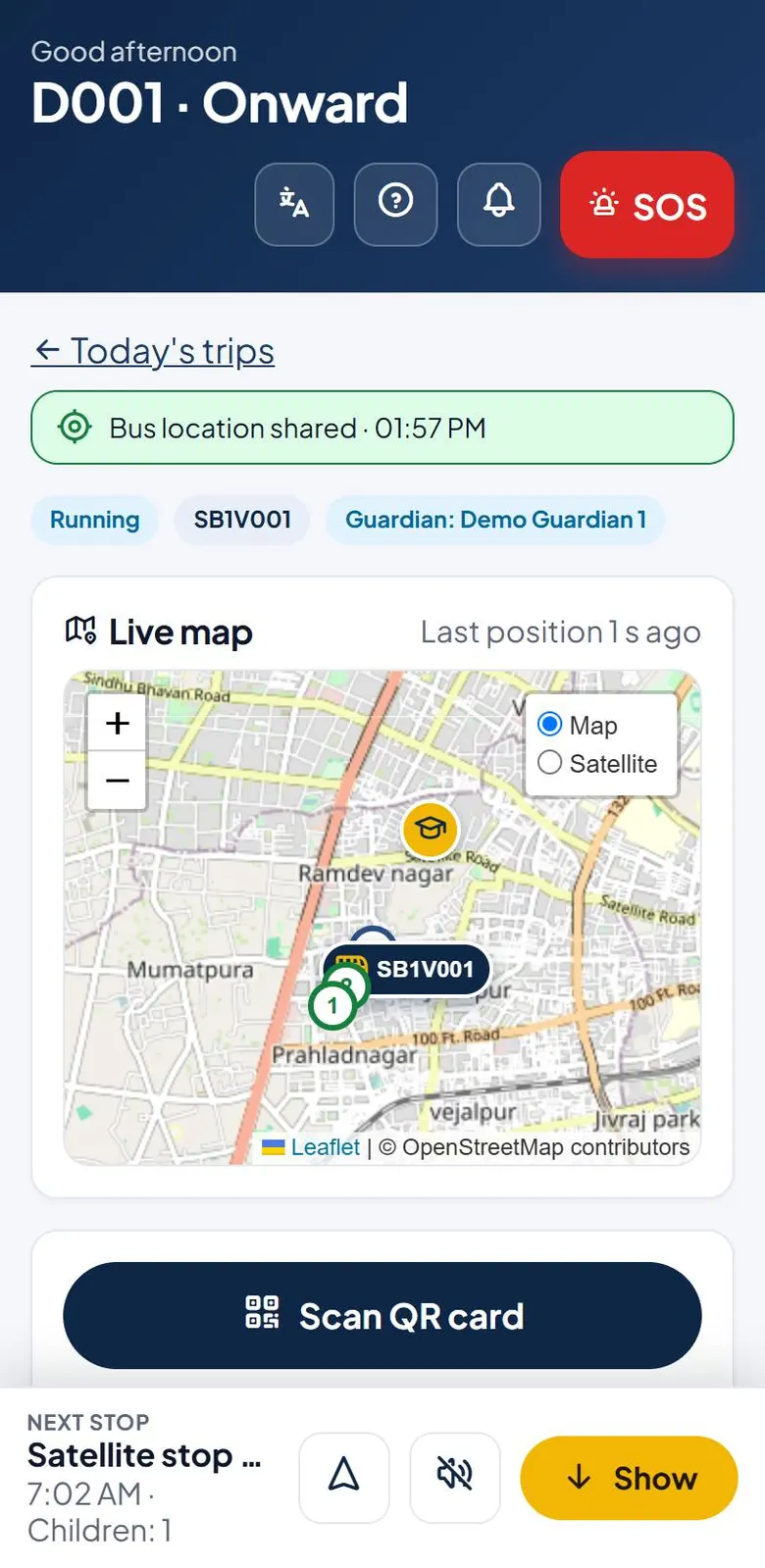
Smart Bus runs a school's transport in one place. The office sets up buses, drivers, bus attendants, stops, routes and students once, or imports them from Excel. Each day the trips are made from the routes in one click. The driver's phone shares the bus position, and the crew marks each child on and off the bus by scanning a QR card, barcode or NFC card, or by tapping the child's name. Parents see the bus live, get an alert at every step and can call the driver. The office sees every bus on a live map, gets SOS and safety alerts, and collects monthly transport fees with receipts. Reports download as PDF or Excel. It works in English, Gujarati and Hindi.
Who is Smart Bus for?
Schools that run their own buses, use contracted bus operators, or both. The school office and accountant use it on a computer or phone; drivers, bus attendants and parents use it on their phones.
What problem does Smart Bus solve?
Parents keep calling the school to ask where the bus is. The office cannot see which bus is late, which child was missed at a stop, or whether every child got off the bus. Transport fees are tracked in a register, and nobody knows which parent has paid by UPI.
Key features of Smart Bus
- Live map of every running bus with speed, children on board and children still waiting
- Each child marked on and off the bus by QR card, barcode, NFC card, or by tapping their name
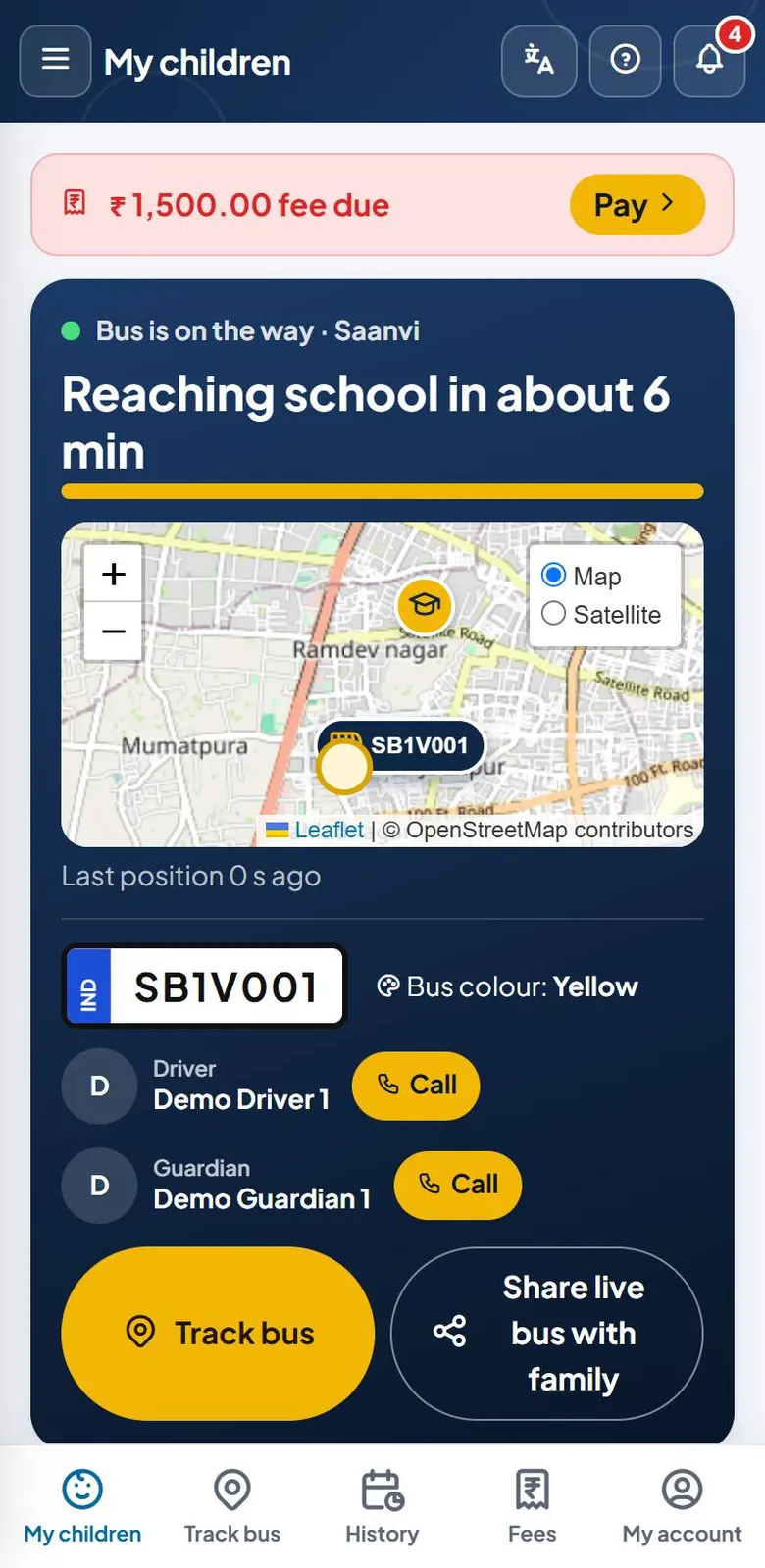
- Parent app: live bus card with time to school, call the driver or attendant, and alerts when the child boards, reaches school and is dropped
- Today screen with only what needs attention: SOS, problems reported by the crew, breakdowns, safety alerts, missed pickups and buses not started
- Driver and attendant app: pre-trip and post-trip checklists, stop-by-stop guide, and a bus check at the end so no child is left on the bus
- Safety alerts for over-speed, off-route and no GPS, an SOS button, and a replacement bus for a breakdown with parents told automatically
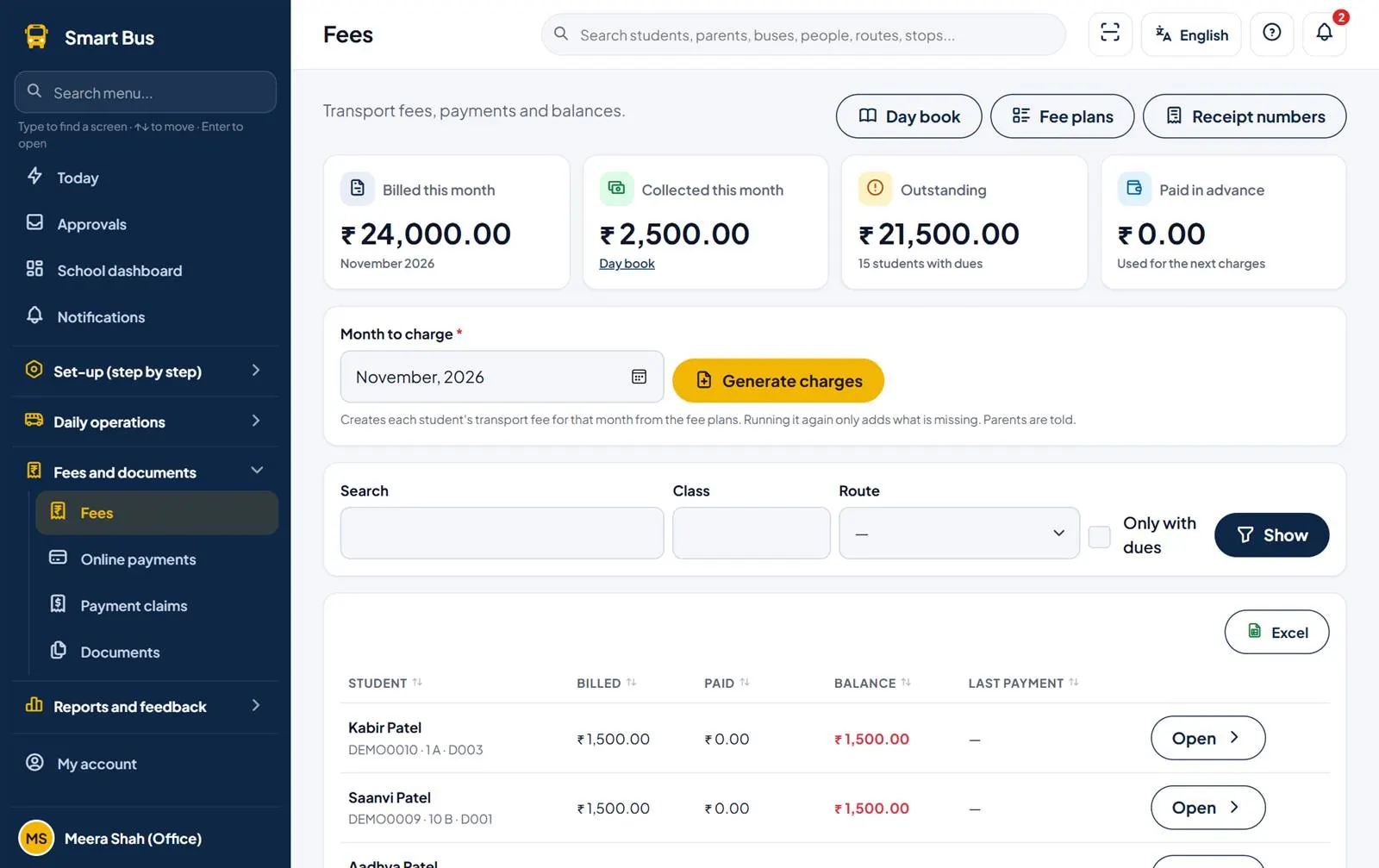
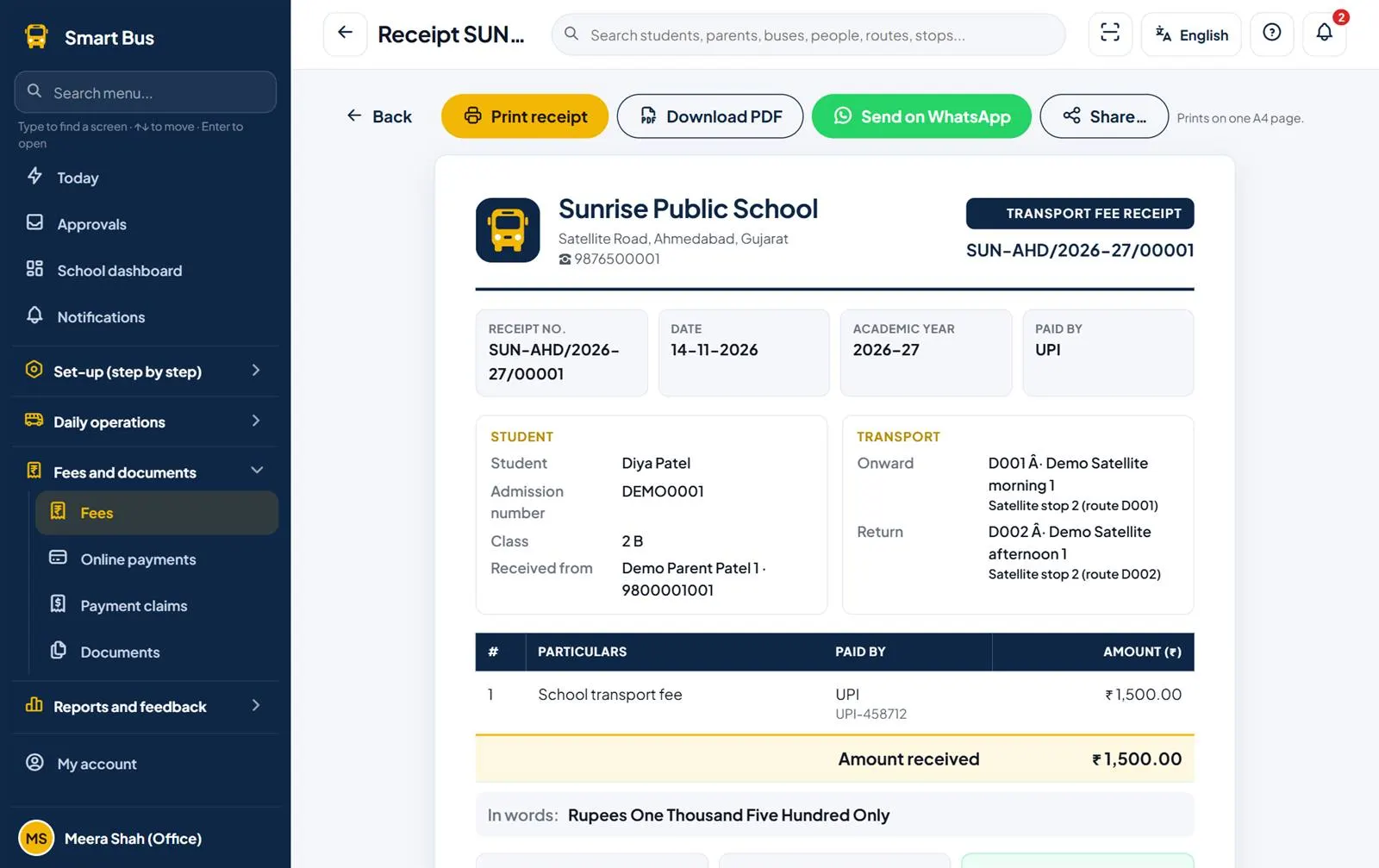
- Transport fees: fee plans, monthly charges in one click, UPI and online payment, receipts shared on WhatsApp
- Routes on a map with a suggested shortest stop order, and Excel import for students, parents, routes and buses
- Messages to all parents, a route, a bus or a class; parent chat with photos and voice notes; leave, complaints and lost and found
- Reports in PDF or Excel, Smart Insights, driver scores, cost per route and a nightly Excel backup to Google Drive
Why businesses use Smart Bus
- Fewer calls from parents asking where the bus is
- The office knows at once when a bus is late, off route or in trouble
- Every child is accounted for on and off the bus, and the bus is checked before the trip is closed
- Transport fees are collected and receipted without a separate register
See Smart Bus in use.
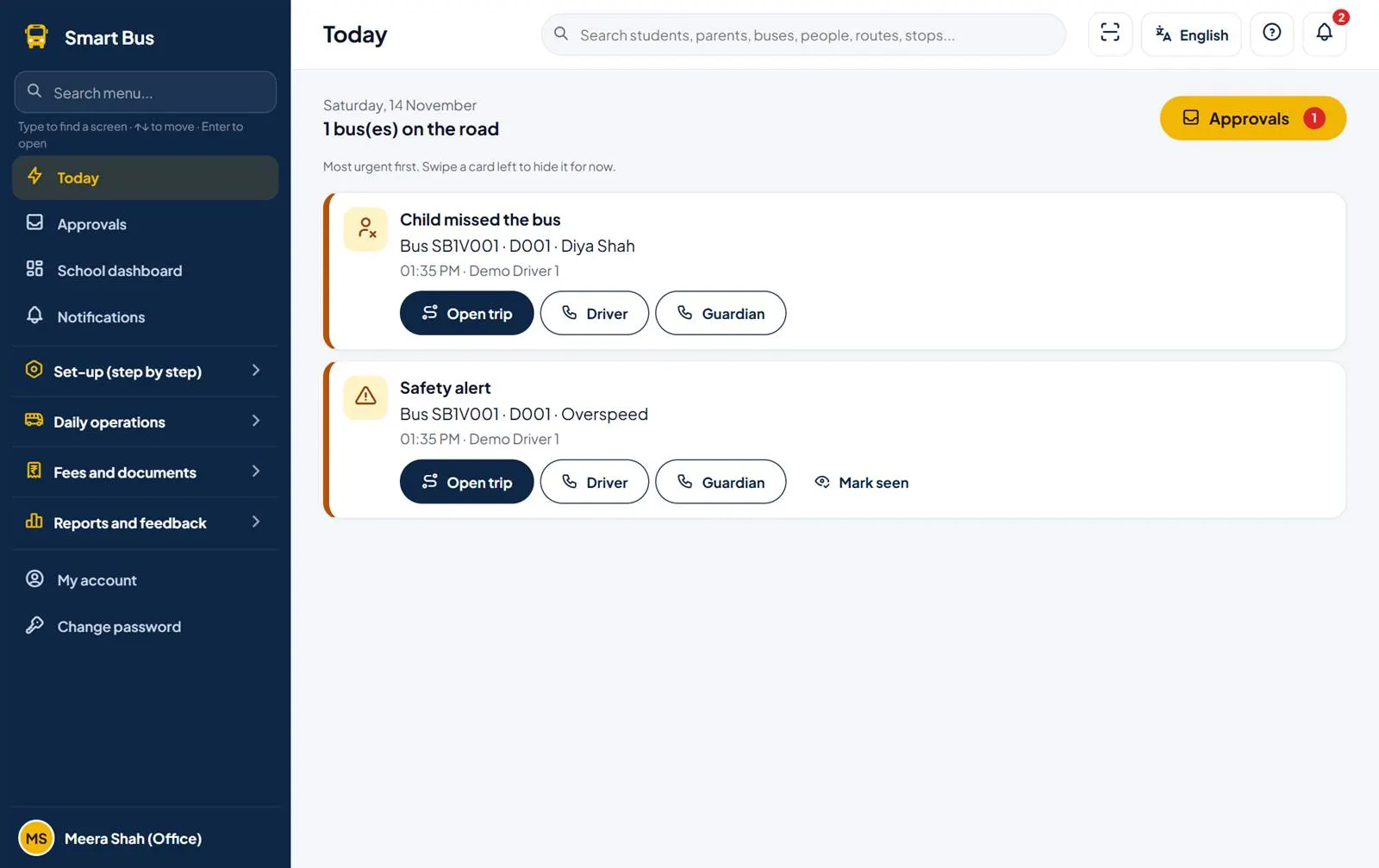
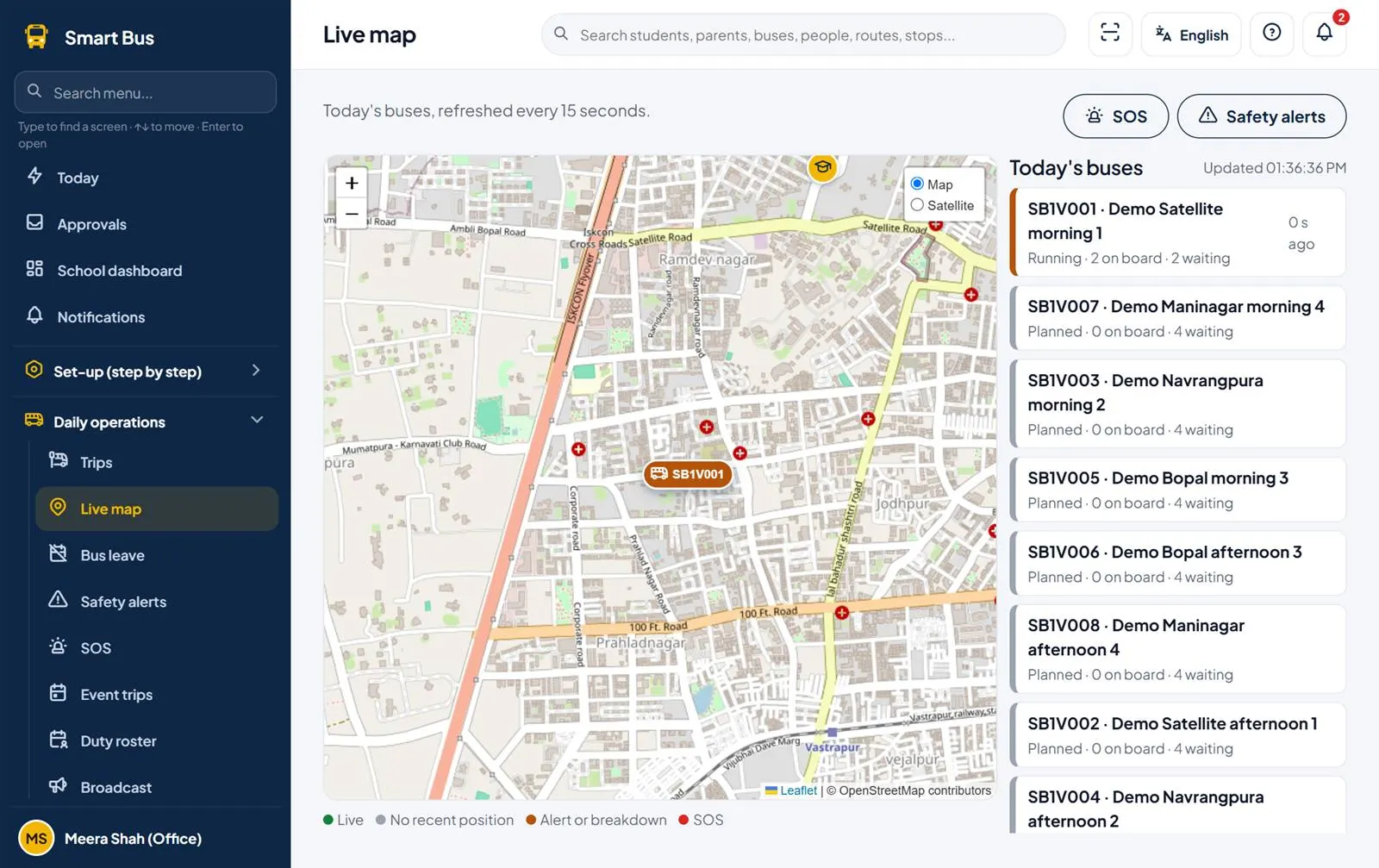
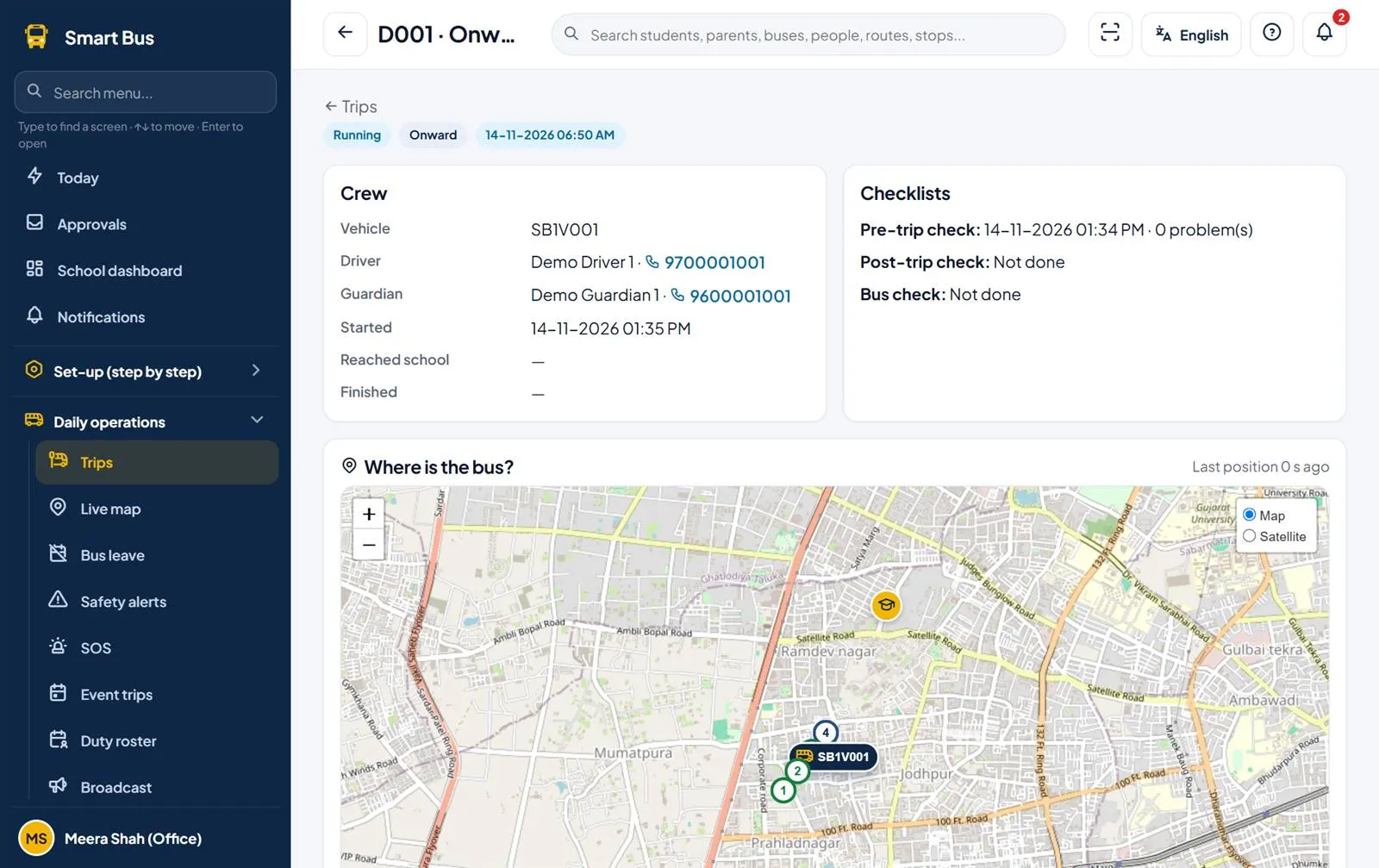
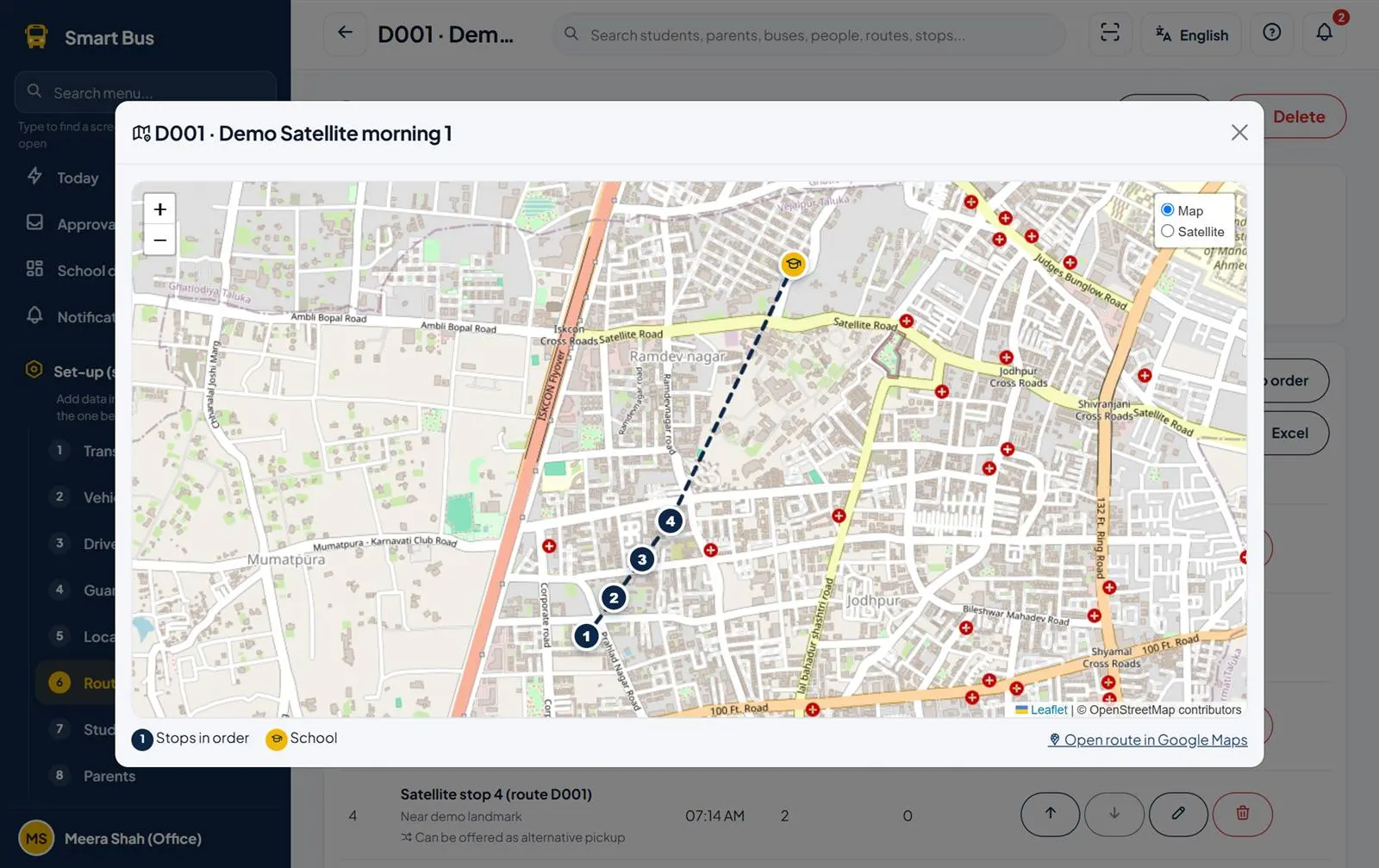
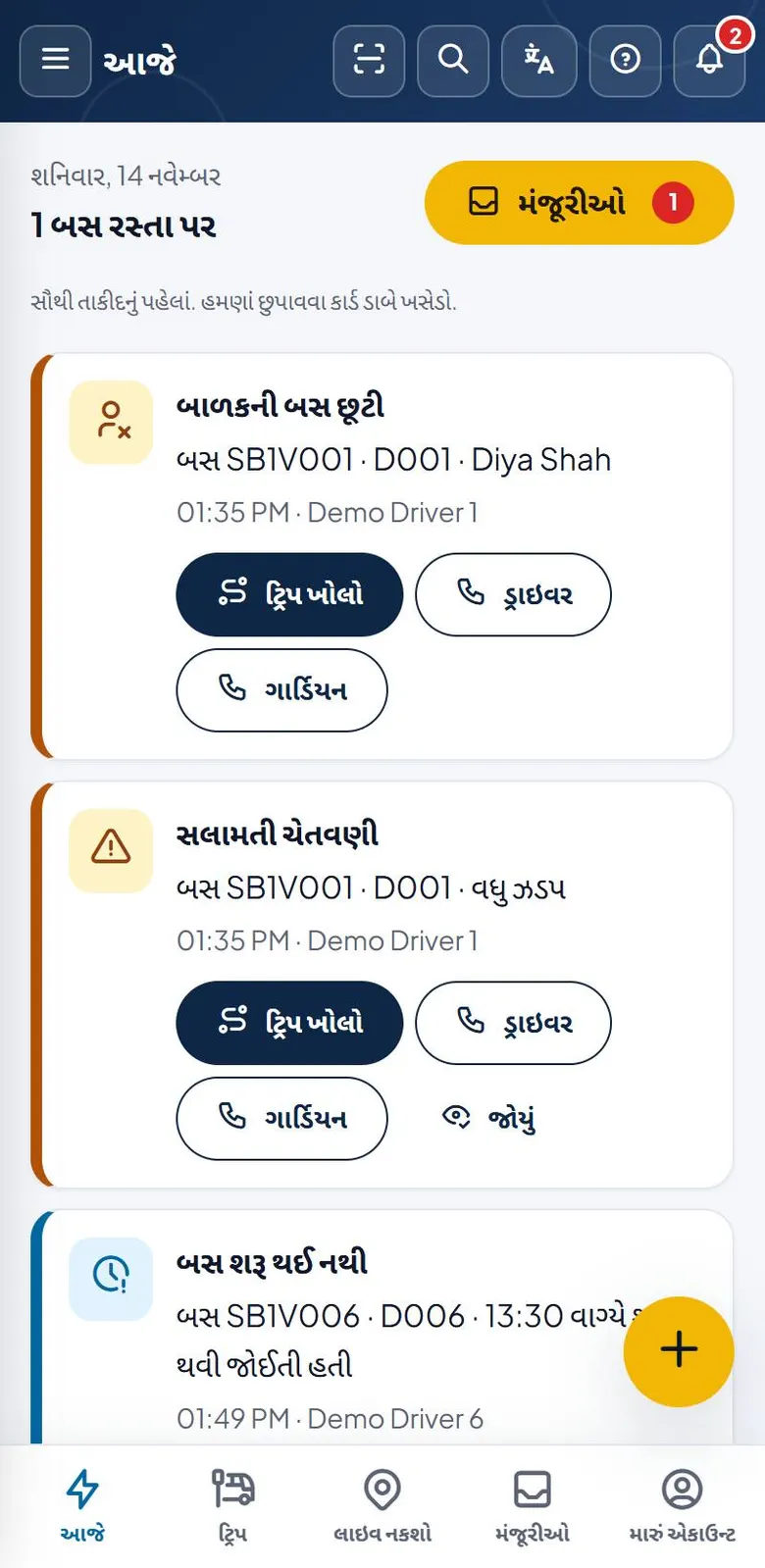
Screens show a demo business with sample data.
How do you start with Smart Bus?
- DCode Software creates the school's account and the first office sign-in
- The school office follows the 10 numbered set-up steps: buses, drivers, attendants, stops, routes, students, parents, checklists and staff, or imports them from Excel
- The office sends each driver, attendant and parent their personal app link on WhatsApp; they open it once on their phone, with no password
- Trips are made from the routes each day; the crew runs them with GPS and scanning, and parents follow the bus live
- Monthly transport fees are charged in one click, and parents pay by UPI or online and get a receipt
How much does Smart Bus cost?
Contact us for the price.
No self sign-up on the website. A school sends an enquiry from the DCode Software website, and DCode Software sets up the school's account. It can be set up as a demo school with sample data first.
Where does Smart Bus run?
- Runs on
- Web browser on phone or computer; can be installed on the phone home screen
- Without internet
- Partly: the driver and attendant app keeps marks and GPS points on the phone when there is no network and sends them when the network returns; other screens need internet
- You need
- A current web browser and an internet connection. NFC card reading needs an Android phone with NFC, in Chrome. On iPhone, phone notifications work on iOS 16.4 or later once the app is added to the home screen.
- Users
- Office staff and accountants with their own user name and password; transport providers with their own sign-in; every driver, bus attendant and parent with a personal app link
What does Smart Bus connect to?
- WhatsApp: app links, receipts and reports open in the WhatsApp app with the message ready to send
- Razorpay: online fee payment by card, UPI or net banking with the school's own Razorpay account
- Pay with any UPI app, with an Already paid claim the office checks against the bank
- Google Drive: documents, reports and nightly backups in the school's own folder
- Google Maps: open a route in Google Maps, and navigate to the next stop
- AIS-140 GPS trackers and card readers fitted in the bus
- SMS for important messages when a parent's phone gets no notification (needs an SMS provider)
- Excel import and export
How are you set up and supported?
- Getting started
- The school sends an enquiry and DCode Software creates the school. The office then follows 10 numbered set-up steps in the menu, each using what was entered before it. On a phone, a short Set up this phone sheet allows notifications, location and camera in one tap.
- Bringing your data
- Yes, from Excel: download a template, fill it in and upload transport providers, vehicles, drivers, guardians, routes, pickup points, students and parents. Bad rows are listed with the reason; good rows are saved.
- Support
- Phone and WhatsApp +91 90162 26950, 11:00 to 18:00 IST. Email nikunjaghera@gmail.com.
- Training
- A user guide in English and Gujarati, and help on every screen (F1 or ?)
Is my data safe?
- Backups
- The database is backed up every day. All school data is also saved as an Excel backup to the school's own Google Drive folder every night; the office can also take a backup at any time
- Export
- Every list can be downloaded to Excel, reports download as PDF or Excel, and the full backup is an Excel file
- Sign-in and staff access
- Office staff sign in with a password, or fingerprint or face on supported phones; sign-in is protected against guessing; drivers, attendants and parents use personal links the office can switch off or replace; each school sees only its own data and parents see only their own children
- Hosting
- In India
Free tools and guides
Questions about Smart Bus.
How do parents see where the bus is?
Parents open their personal app link once on their phone. They then see the bus on a map with the time left to their stop or to school, and get an alert when their child boards, reaches school and is dropped.
How is a child marked on and off the bus?
The driver or bus attendant scans the child's QR card, barcode label or NFC card with the phone, or taps the child's name. Mistakes can be undone for 10 minutes.
How does Smart Bus make sure no child is left on the bus?
After the last drop, the crew scans a sticker at the back of the bus and answers the post-trip check before the trip can be completed.
Do parents and drivers need a password?
No. The school sends a personal app link on WhatsApp. It opens the app without a password and keeps working until the school switches it off.
Which languages does Smart Bus support?
English, Gujarati and Hindi, on every screen, alert and report. Each person can choose their own language.
Our school uses contracted buses. Can we use Smart Bus?
Yes. Schools can manage their own buses, contracted transport providers, or both. A transport provider sees only their own buses, drivers and papers.
What happens if a bus breaks down?
The crew reports it, the office sends another bus and the children move to it. Parents are told automatically.
Can parents pay transport fees online?
Yes. Parents can pay with any UPI app and send the reference number, or pay by card, UPI or net banking through the school's own Razorpay account. Every payment gets a receipt.
Is my child's information safe?
Each school sees only its own data. Parents see only their own children, and child photos are shown only to that trip's crew and the child's own parents.
How can a school try Smart Bus?
Send an enquiry from the DCode Software website. DCode Software calls back, sets up the school's account, and can start with a demo school with sample data.
Does Smart Bus work on a mobile phone?
Yes. Smart Bus runs in a web browser on a phone or computer and can be installed on a phone's home screen, so it opens like a regular app.
Who makes Smart Bus?
Smart Bus is built and run by DCode Software, a software studio in Rajkot, Gujarat, India, founded in 2014. It is one of DCode Software's 7 in-house products, each made for one kind of business.
Try Smart Bus
No self sign-up on the website. A school sends an enquiry from the DCode Software website, and DCode Software sets up the school's account. It can be set up as a demo school with sample data first. Send us an enquiry about Smart Bus and we will call you back.
Need something custom?
If Smart Bus is close to what you need but not quite, DCode Software also builds custom software, web platforms and mobile apps. Tell us about your business and we'll tell you whether we can help.
Other products from DCode Software
- GSTGST billing and accounting software
- MCalcBilling and stock software for marble, granite and tile traders
- MobileAppMobile shop billing and EMI management software
- Vastra DeskBilling software for clothing rent shops and clothing stores
- Milk SetuDairy & milk delivery management software
- Auto DealUsed car and bike dealer management software