MCalc: Billing and stock software for marble, granite and tile traders
MCalc makes sq ft quotations and GST bills for marble, granite and tile traders, and tracks slabs, dues and payments. Works on phone and computer, in English and Gujarati.
30-day free trial, no card needed. Each new sign-up is approved by DCode Software first. Then ₹499 per month · ₹1,399 per 3 months · ₹2,599 per 6 months · ₹4,799 per year (incl. GST).
Details checked

What is MCalc?
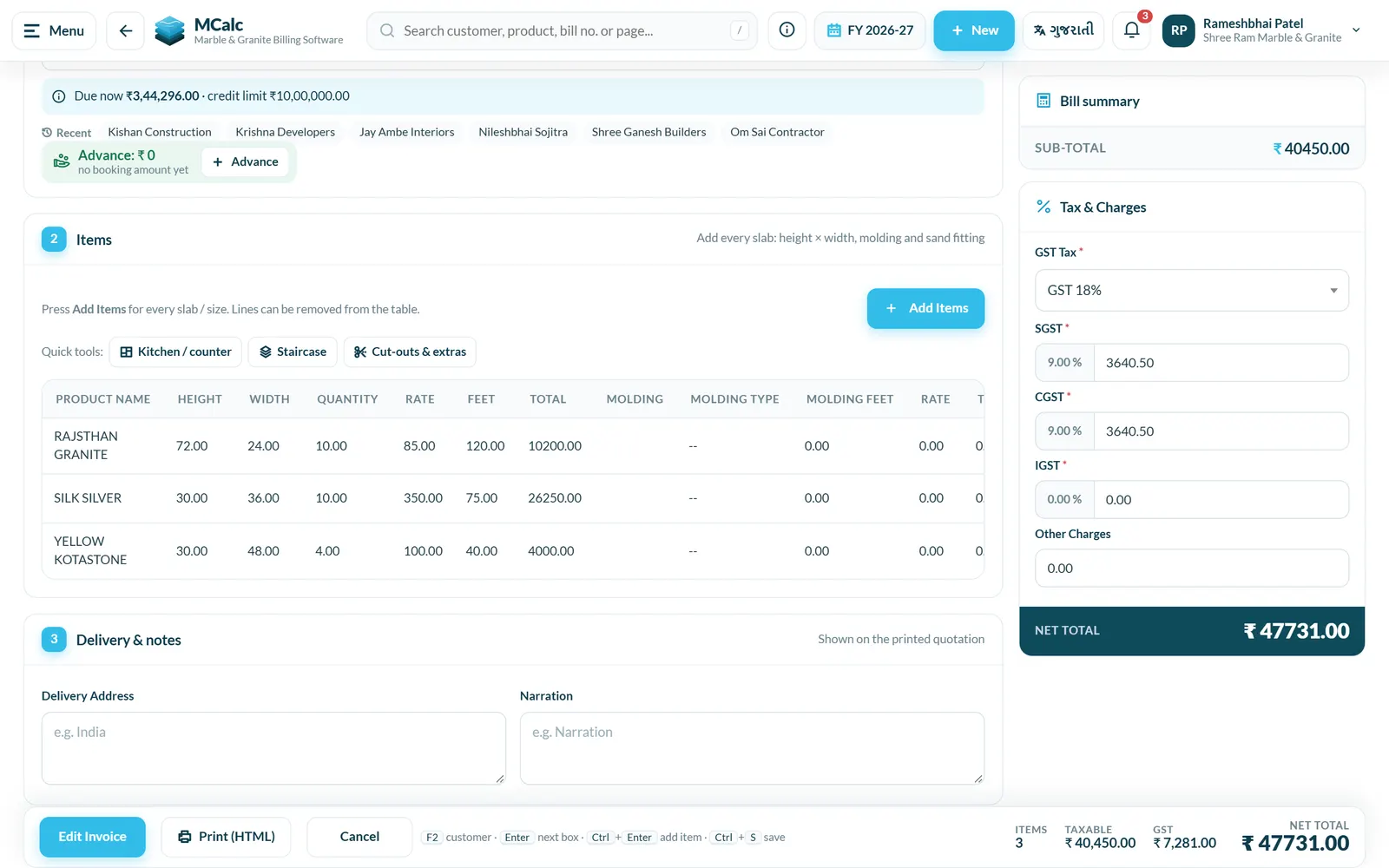
MCalc is billing software for stone businesses. You enter each piece as height × width in inches. MCalc works out the sq ft, adds molding and sand fitting, and adds GST. When the customer agrees, the approved quotation becomes a tax invoice. Print it, save a PDF, or send it on WhatsApp as a link the customer can pay by UPI. Payments can be split between cash, UPI, cheque and bank transfer. The due list shows who owes what, and you can send a reminder in one tap. Slab stock records each slab's size, block and photo. The cutting plan fits a quotation's pieces onto your slabs. GSTR-1 JSON, e-way bill JSON and Tally export are built in.
Who is MCalc for?
Marble, granite, tiles, Kota stone and sandstone shops, fabricators and contractors, mostly small and mid-size businesses in Gujarat. The owner, counter staff and workshop staff use it every day on a phone or computer.
What problem does MCalc solve?
Every quotation needs height × width for each piece, then molding, fitting and GST, all worked out on a calculator. Bills are written again by hand, slabs and offcuts get lost track of, and nobody knows which party owes how much since when. Money is lost on wrong totals, wasted slabs and late payments.
Key features of MCalc
- Quotations by height × width × pieces: sq ft, molding and sand fitting worked out for every line
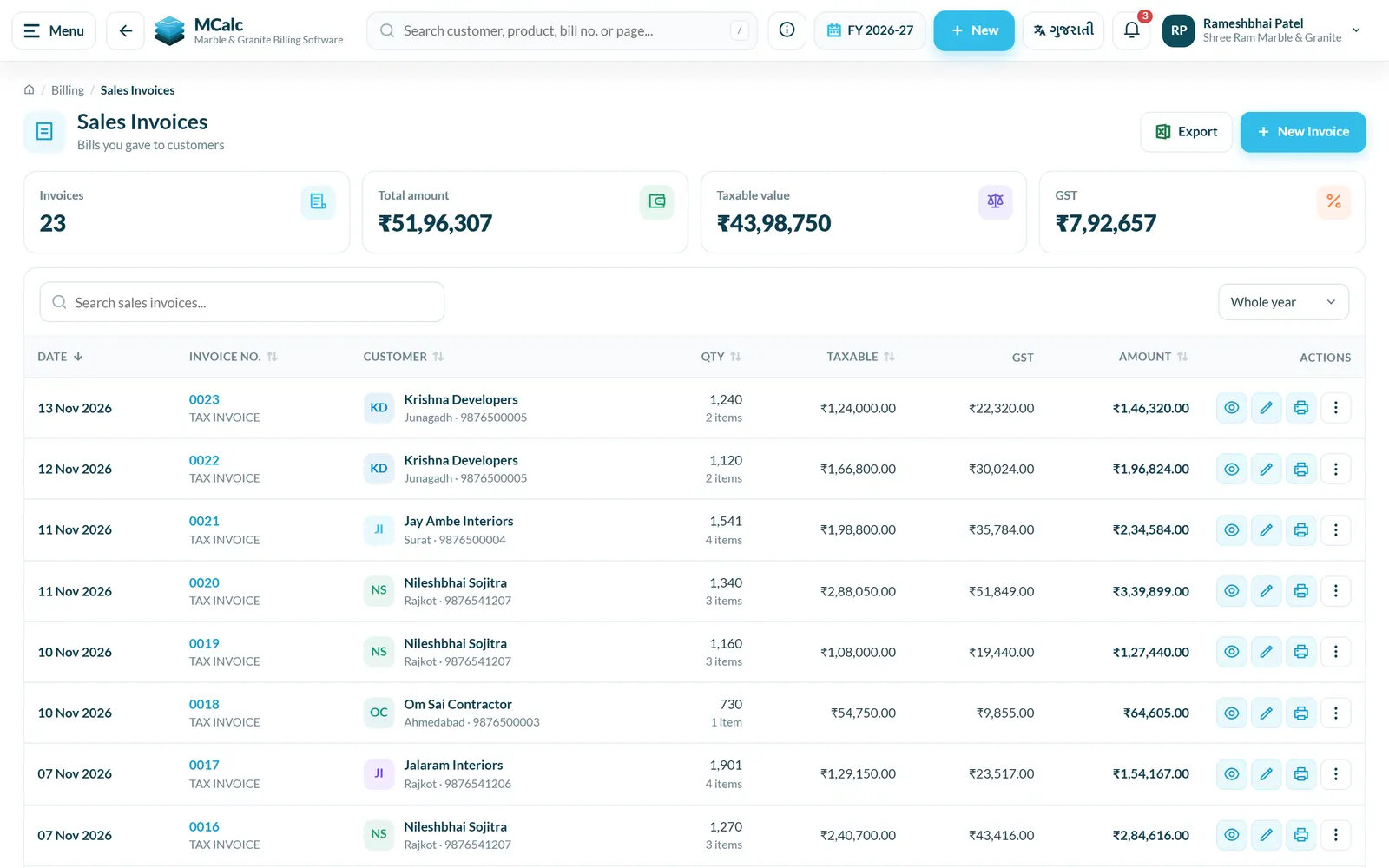
- GST tax invoices with CGST, SGST and IGST, printed or saved as PDF with your logo, bank details and signature
- Bills and party statements shared on WhatsApp as a link the customer can open, download and pay by UPI
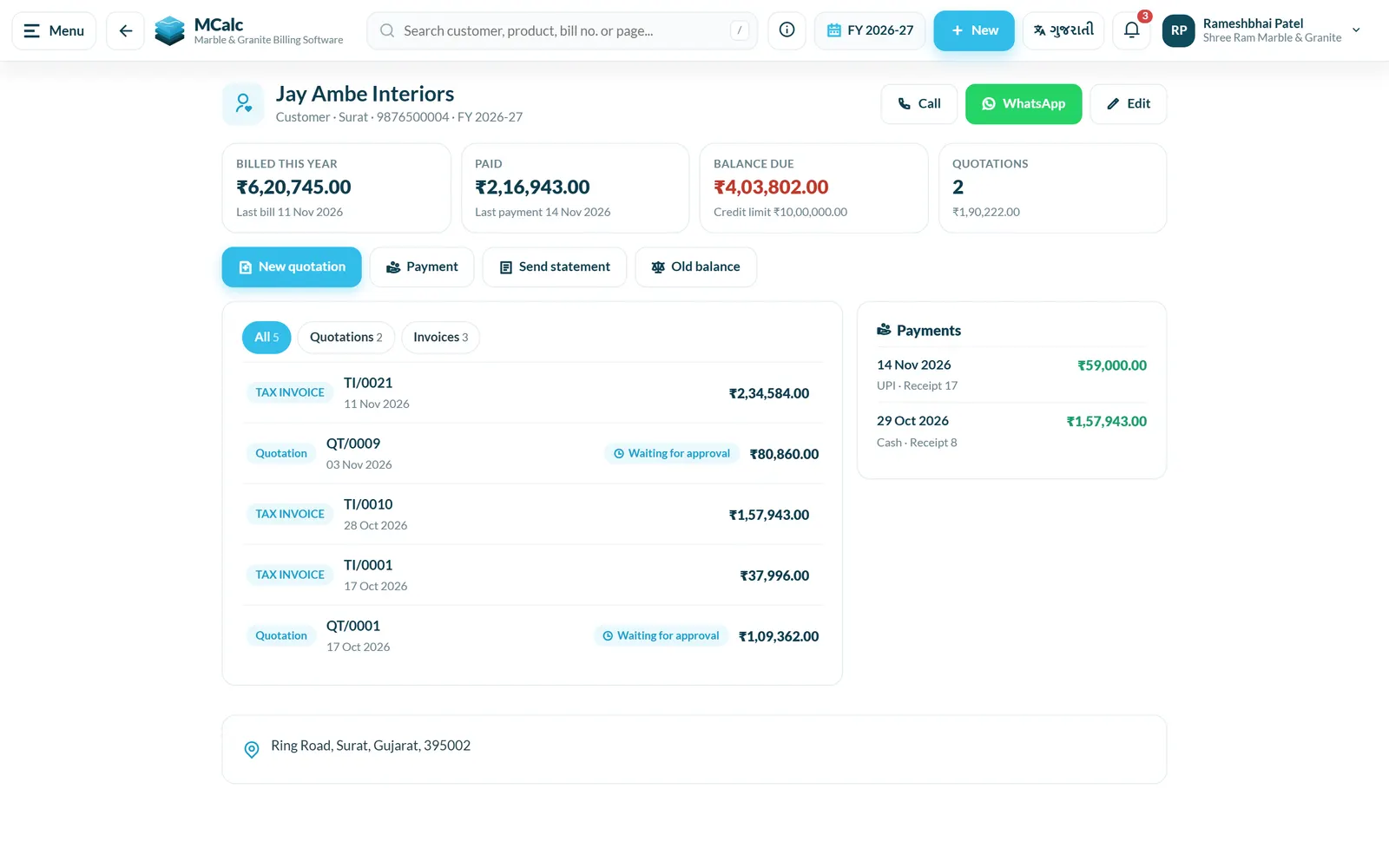
- Due list and payment reminders; payments split by cash, UPI, cheque or bank transfer; cheque register
- Slab stock with slab number, block, size and photo, plus offcuts and breakage register
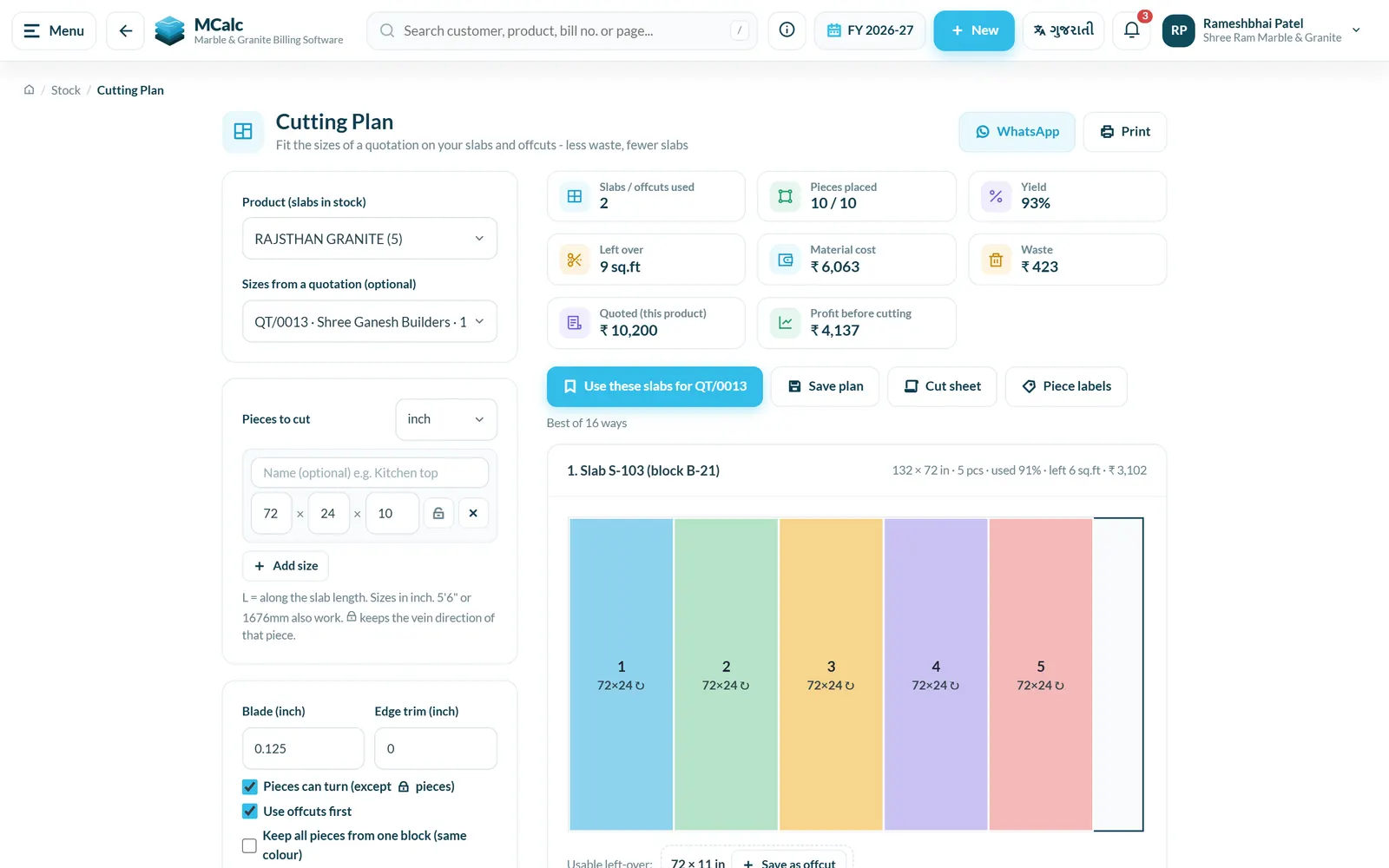
- Cutting plan that fits a quotation's sizes onto your slabs and offcuts and shows waste and yield
- GSTR-1 JSON and GSTR-3B summary, e-invoice and e-way bill JSON for the government portal, Tally XML export
- Workshop job cards, delivery challans, fitting schedule and site measurement
- Reports: daily summary, profit per bill, profit by customer and product, slow-moving stock, staff sales, charts
- Staff logins with permissions for each area, audit log, and full English and Gujarati screens and prints
Why businesses use MCalc
- No more calculator work: every quotation and bill total, sq ft and GST amount is worked out the same way every time
- You see each day who owes you money and since when, and can remind them on WhatsApp straight away
- Fewer wasted slabs, because you can plan cuts on the slabs you already have before cutting
- GST return files and Tally export are ready for your accountant at month end
- You can run the shop from your phone, and staff only see the screens you allow
See MCalc in use.
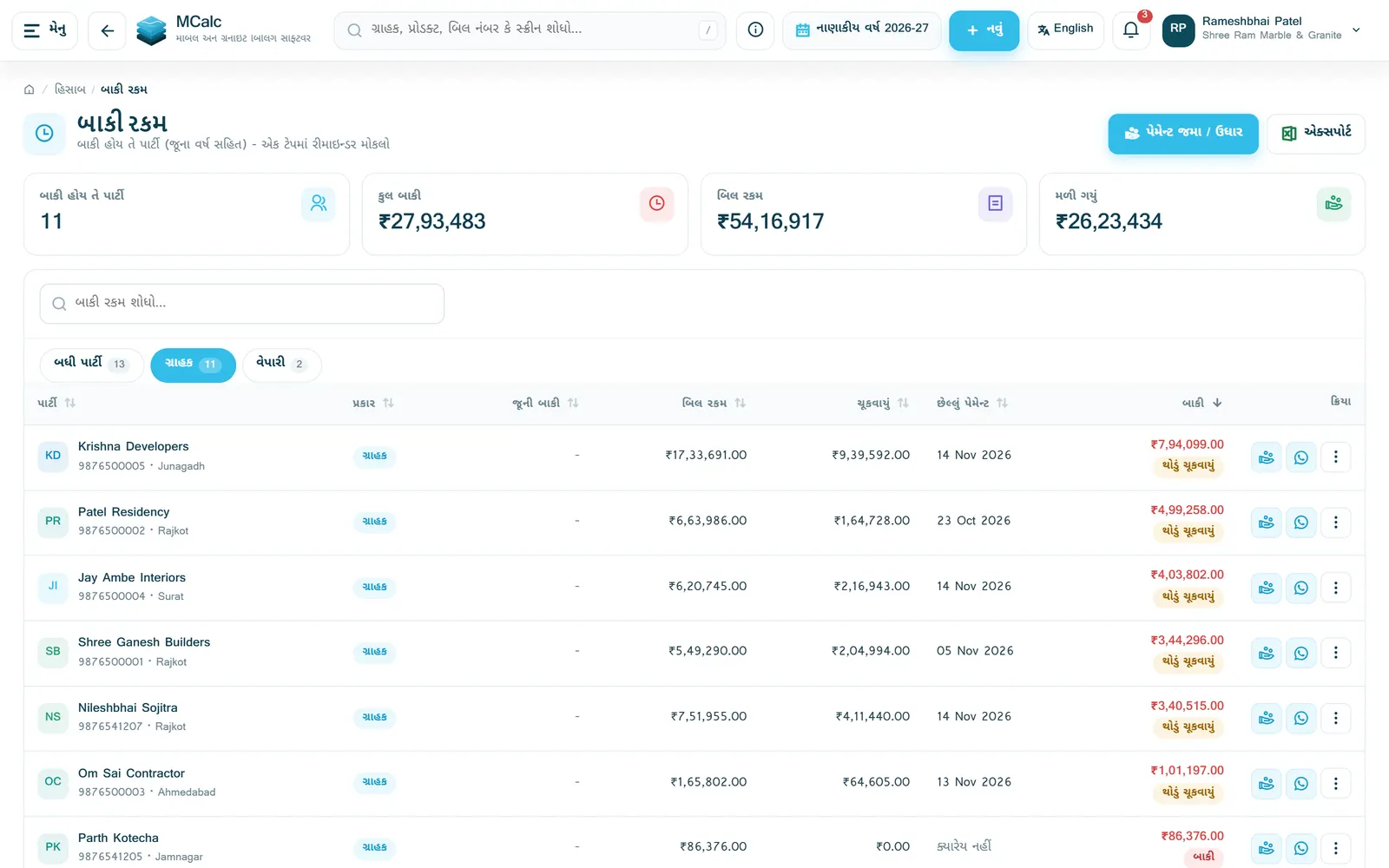
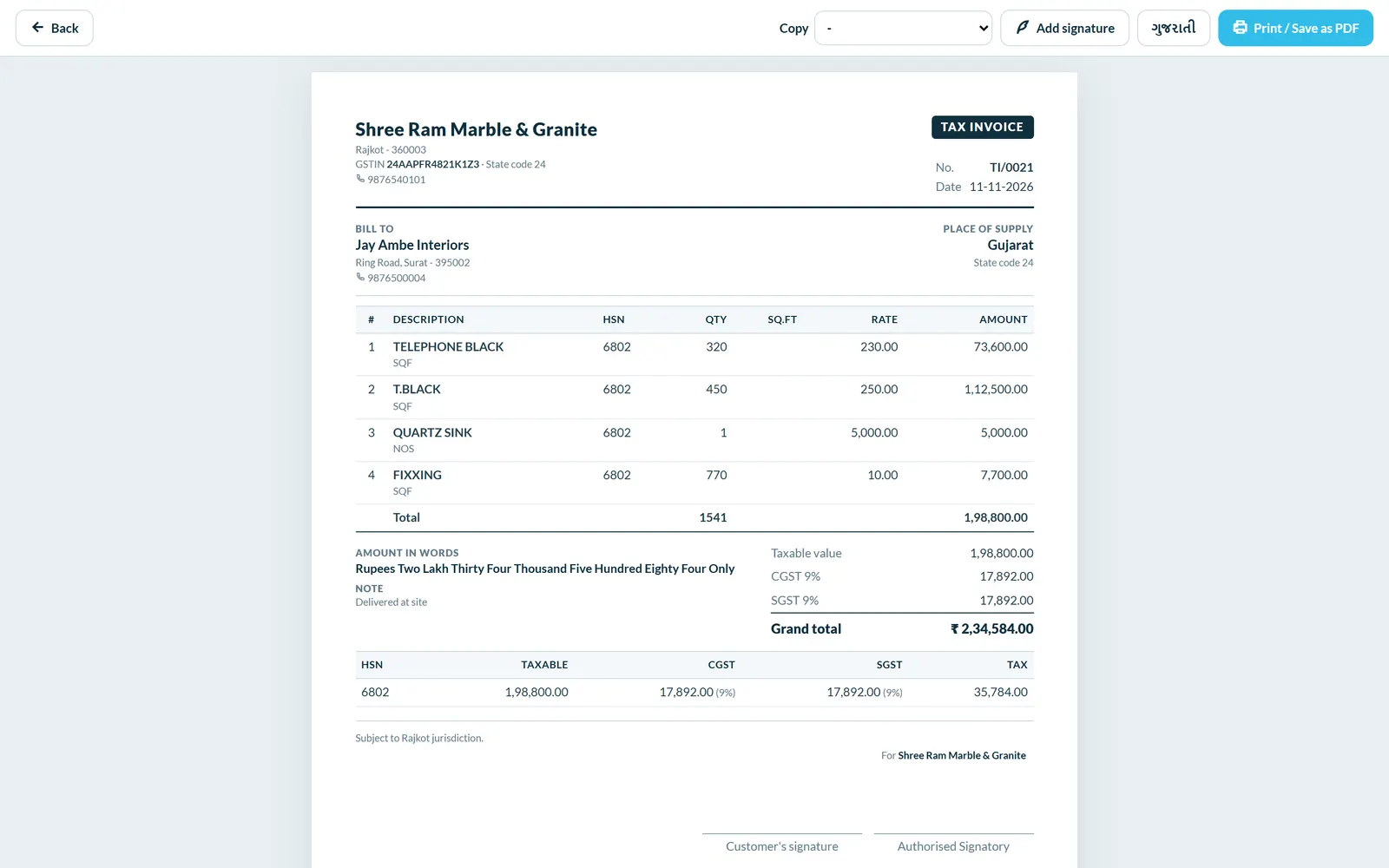

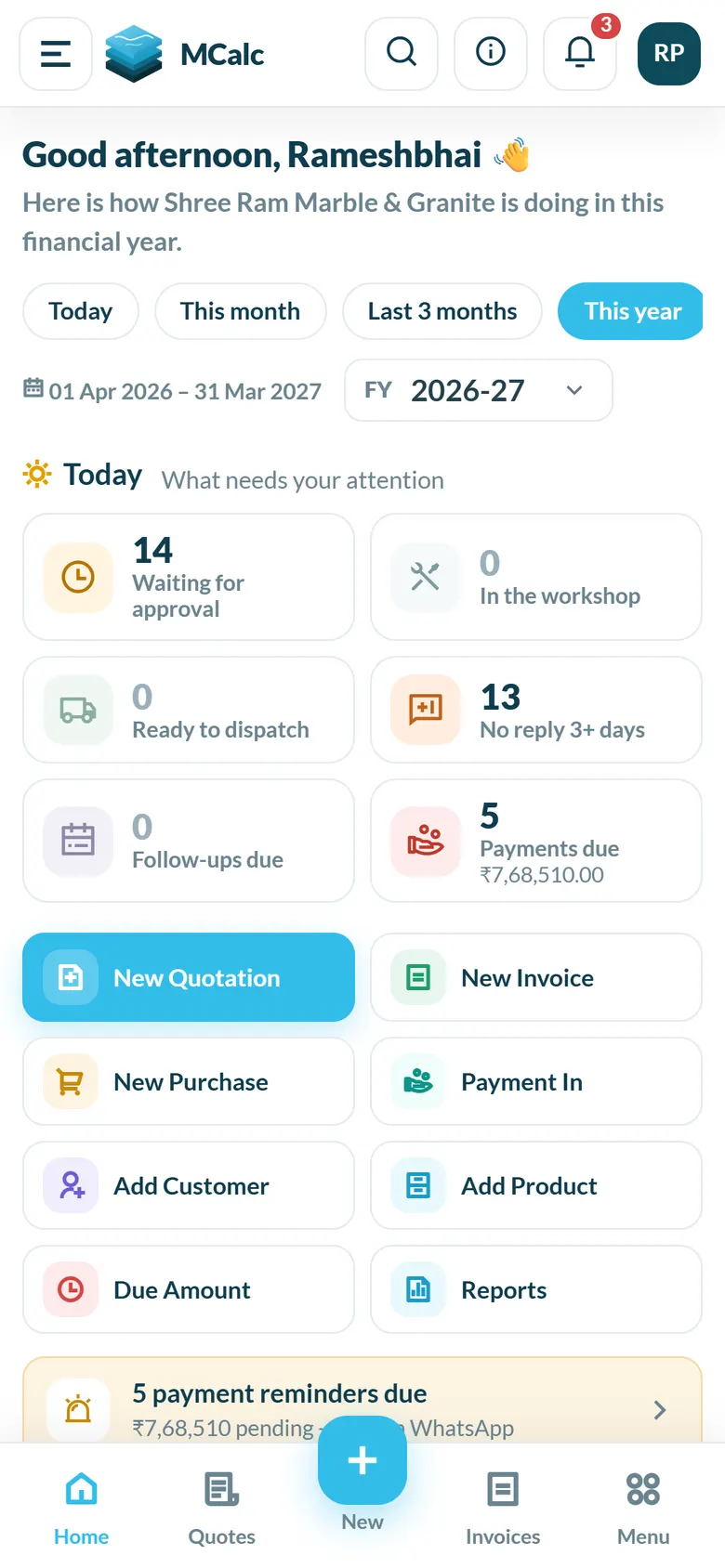
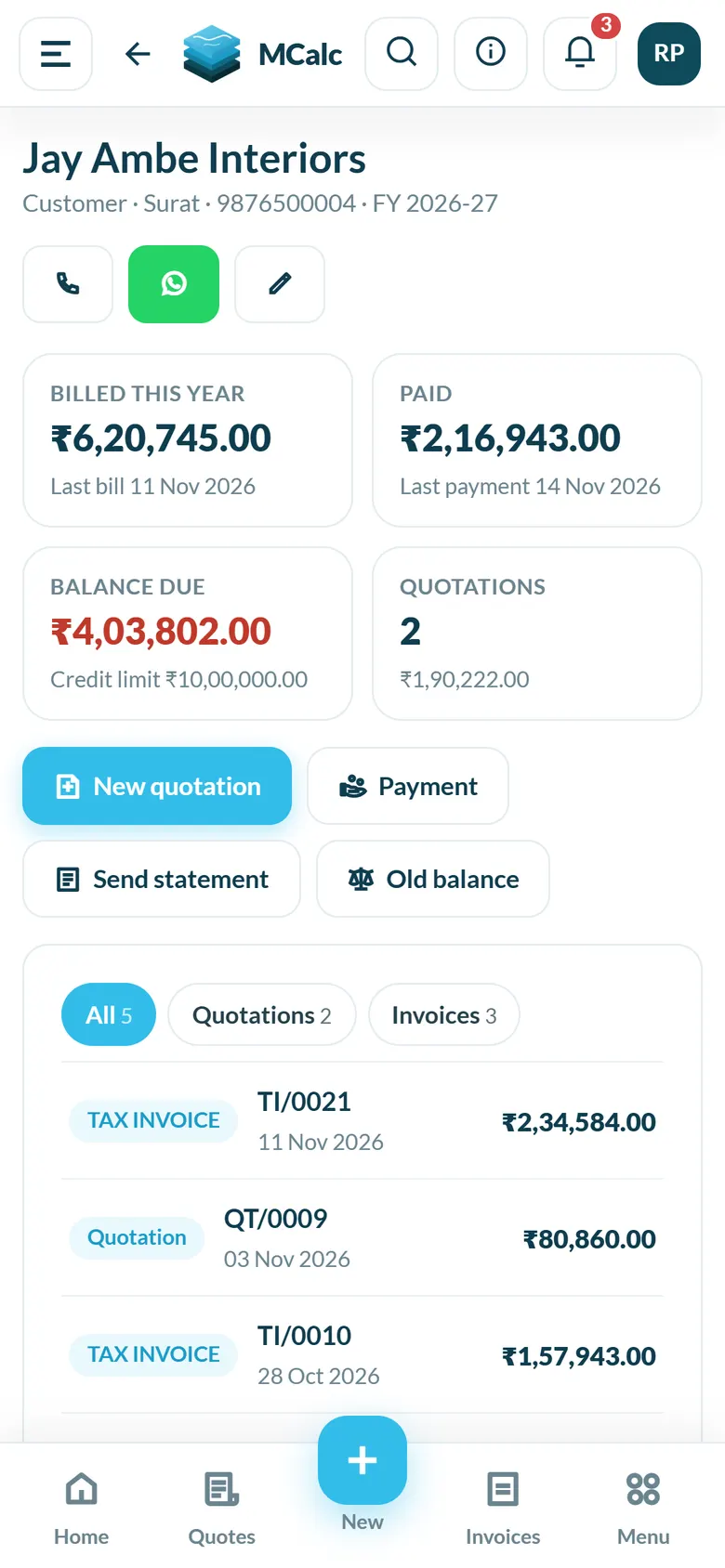
Screens show a demo business with sample data.
How do you start with MCalc?
- Register with your company name, mobile and city (GSTIN optional). After DCode Software approves it, the account comes with GST rates, invoice series and the current financial year already set up.
- Add your products and customers by typing them in or importing an Excel / CSV file.
- Make a quotation by entering each piece's height × width. MCalc works out sq ft and GST.
- Turn the approved quotation into a tax invoice, then print it or send it on WhatsApp.
- Record payments as they come in and send reminders for dues.
How much does MCalc cost?
- ₹499
- All features
- Unlimited bills, customers and products
- Staff logins
- Daily backup
- WhatsApp support
- ₹1,399
- All features
- Unlimited bills, customers and products
- Staff logins
- Daily backup
- WhatsApp support
- ₹2,599
- All features
- Unlimited bills, customers and products
- Staff logins
- Daily backup
- WhatsApp support
- ₹4,799
- All features
- Unlimited bills, customers and products
- Staff logins
- Daily backup
- WhatsApp support
30-day free trial, no card needed. Each new sign-up is approved by DCode Software first. After the trial, choose a plan and pay by UPI; bills and data stay as they are.
Where does MCalc run?
- Runs on
- Web browser on phone or computer; can be installed on Android or iPhone from the browser as an app
- Without internet
- Partly: screens opened before still open without internet, and quotations, invoices, payments and master entries saved offline are sent automatically when the internet is back
- You need
- A current web browser (Chrome, Edge, Safari) and an internet connection for normal use
- Users
- Owner login plus any number of staff logins, each with their own permissions
What does MCalc connect to?
- GSTR-1 JSON for upload on the GST portal, plus a GSTR-3B summary
- e-Invoice JSON and e-Way Bill JSON for upload on the government portals (no direct filing)
- Tally XML export of vouchers
- WhatsApp sharing of bills, statements, price lists and reminders (opens WhatsApp with the message ready)
- UPI payment link and QR on shared bills and statements
- Excel / CSV import of customers, vendors and products; Excel export of lists
- Phone and browser notifications, including an evening summary for the owner
How are you set up and supported?
- Getting started
- Self sign-up on the website, approved by DCode Software; the account is ready with GST rates, invoice series, the financial year and sample products and parties. The website also offers to set it up with you if you call.
- Bringing your data
- Customers, vendors and products can be imported from an Excel or CSV file. A bank statement (Excel / CSV) can be imported to match UPI and bank payments.
- Support
- Phone and WhatsApp +91 90162 26950, 11:00 to 18:00 IST. Email nikunjaghera@gmail.com. Support requests can also be raised inside the app under Help & Support.
- Training
- No help videos. User guides and a user manual are provided on request.
Is my data safe?
- Backups
- The database is backed up every day. Every night, a backup of every company is also saved to Google Drive.
- Export
- The owner can download a full backup at any time as one ZIP file of Excel-ready CSV files (company, customers, products, all invoices with items, payments, stock, expenses and more, for every year), which can also be restored from that file. Lists export to Excel, and invoices and reports export to PDF.
- Sign-in and staff access
- User name and password login, with an option to stay signed in. Staff get their own logins and the owner picks what each one can see and do. Optionally, a new staff device needs a code the owner approves. An audit log shows who changed what, and the owner is told when staff delete something. Each company sees only its own data.
- Hosting
- In India
What's new in MCalc
- Full Gujarati language for the app screens
- Cutting plan improvements for fitting quotation pieces on slabs and offcuts
- New public home page with pricing, FAQ and a quick sq ft calculator
- Job work billing for the customer's own material (molding and sand fitting only)
- Show / hide menu items so each business sees only the screens it uses
- Molding templates and molding drawing on quotations
- Backup and restore fixes, and speed improvements
Free tools and guides
- Free calculatorMarble & granite sq ft calculatorFree sq ft calculator for marble, granite, tile and Kota stone quotations: height × width × pieces, rate, wastage, molding, fitting and GST.
- GuideHow to Calculate Sq Ft for Marble and Granite BillingHeight × width in inches ÷ 144 × pieces gives sq ft. A worked granite bill with wastage, molding in running feet, fitting and the GST line.
Questions about MCalc.
Do I need to install anything?
No. MCalc opens in the browser on your phone or computer. You can also install it as an app from the browser menu (Install App).
Does it work in Gujarati?
Yes. You can switch between English and Gujarati at any time, and quotations and invoices can also be printed in Gujarati.
How does it work out sq ft?
You enter each piece as height × width in inches and the number of pieces. MCalc works out the sq ft and amount for every line, and adds molding, sand fitting and GST.
Does it handle GST returns and e-way bills?
It makes GST tax invoices with CGST, SGST or IGST, and a GSTR-1 JSON and GSTR-3B summary for each month. It also makes e-invoice and e-way bill JSON files. You upload these files on the government portal yourself.
Can my staff use it?
Yes. Add staff with their own login and choose what each one can see and do, for example quotations only, or no deleting. There is no limit on staff logins.
Does it work without internet?
Partly. Screens you have opened before still open. Quotations, invoices and payments saved without internet are sent automatically when the internet is back.
Is my data safe?
Each company sees only its own data. A backup is made every night, and the owner can download a full copy of all data as Excel-ready files at any time.
Can I bring in my existing customer and product list?
Yes. Customers, vendors and products can be imported from an Excel or CSV file.
What happens after the free trial?
The trial is 30 days and needs no card. Each new sign-up is approved by DCode Software first. After the trial, you choose a plan and pay by UPI; all your bills and data stay as they are.
How much does it cost?
₹499 for 1 month, ₹1,399 for 3 months, ₹2,599 for 6 months or ₹4,799 for 1 year, including GST. Every plan includes all features.
Does MCalc work on a mobile phone?
Yes. MCalc runs in a web browser on a phone or computer and can be installed on a phone's home screen, so it opens like a regular app.
Who makes MCalc?
MCalc is built and run by DCode Software, a software studio in Rajkot, Gujarat, India, founded in 2014. It is one of DCode Software's 7 in-house products, each made for one kind of business.
Try MCalc
30-day free trial, no card needed. Each new sign-up is approved by DCode Software first. After the trial, choose a plan and pay by UPI; bills and data stay as they are. You get started with MCalc on its own website, separately from our other products.
Need something custom?
If MCalc is close to what you need but not quite, DCode Software also builds custom software, web platforms and mobile apps. Tell us about your business and we'll tell you whether we can help.
Other products from DCode Software
- GSTGST billing and accounting software
- MobileAppMobile shop billing and EMI management software
- Vastra DeskBilling software for clothing rent shops and clothing stores
- Milk SetuDairy & milk delivery management software
- Auto DealUsed car and bike dealer management software
- Smart BusSchool bus tracking and transport management software